
To translate/edit Relationship Chart properties please follow the steps listed below:
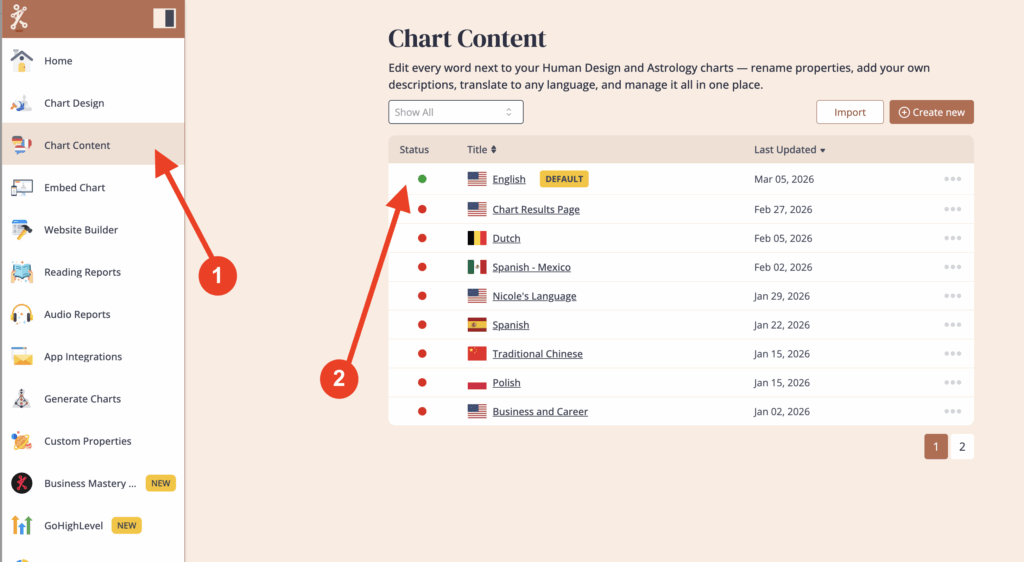
Click on ‘Chart Content’ and select the language that you are using.
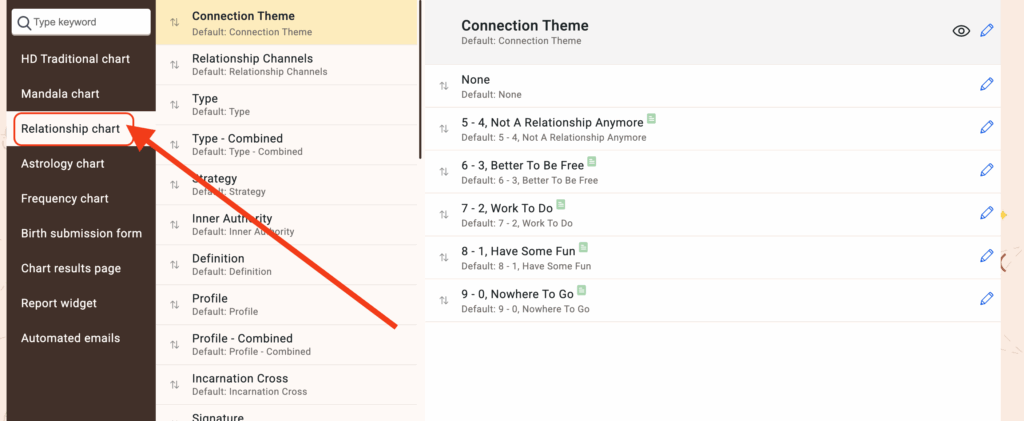
Click on ‘Relationship chart’
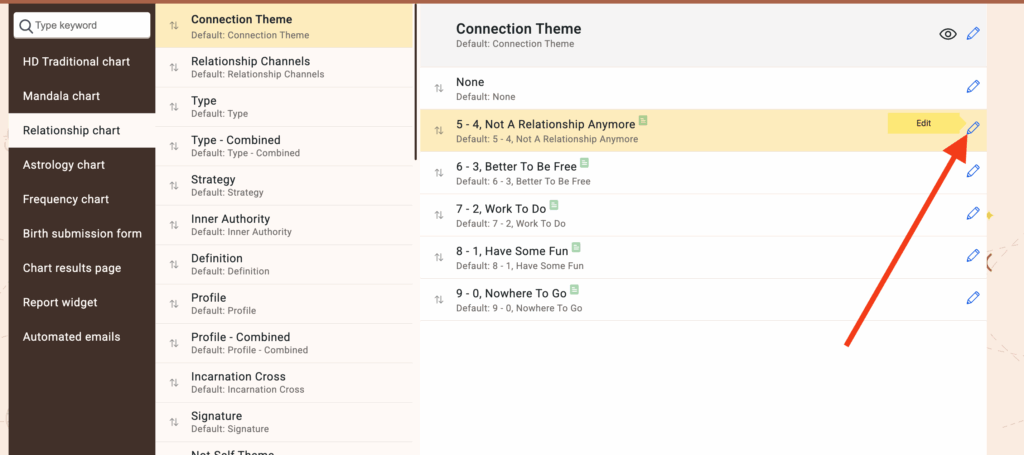
Edit the labels and descriptions by clicking on the pencil icon next to the property you want to edit.
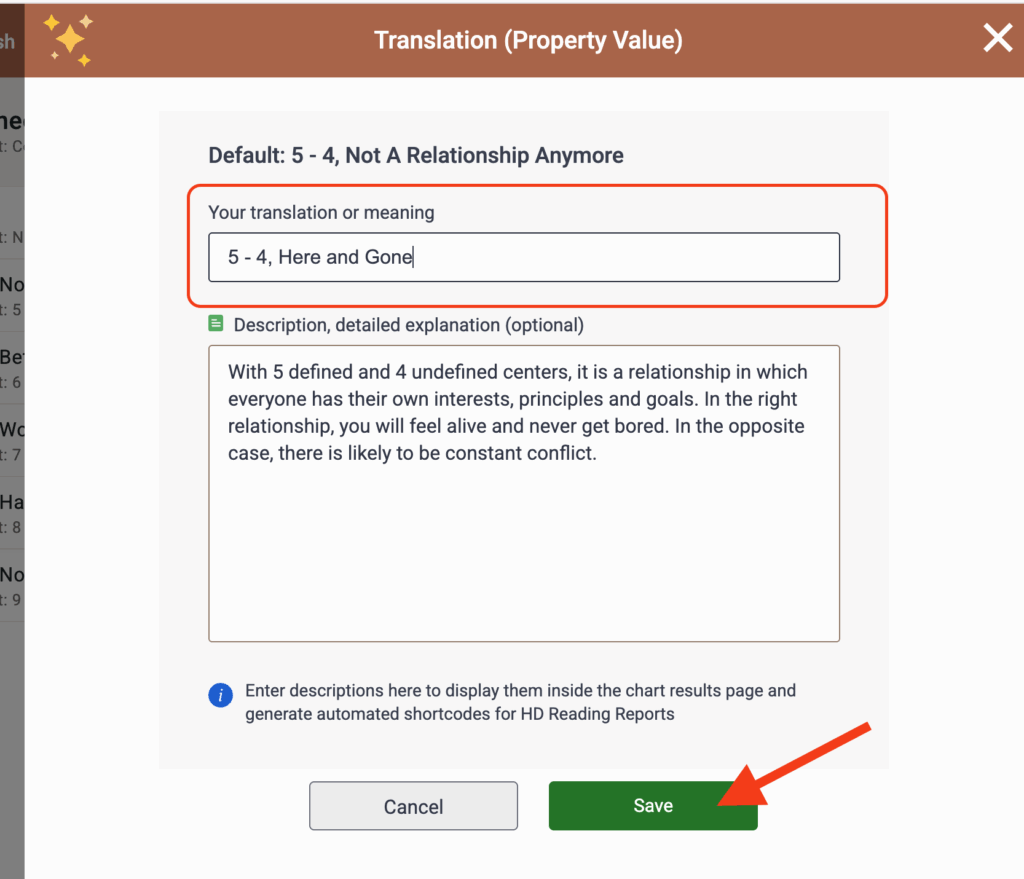
Remember to click ‘Save’ once finished.
Still have questions, is above guide outdated? Please message us on Live Chat or send an email to support@bodygraph.com.