
To add hyperlinks to your report, proceed as follows:
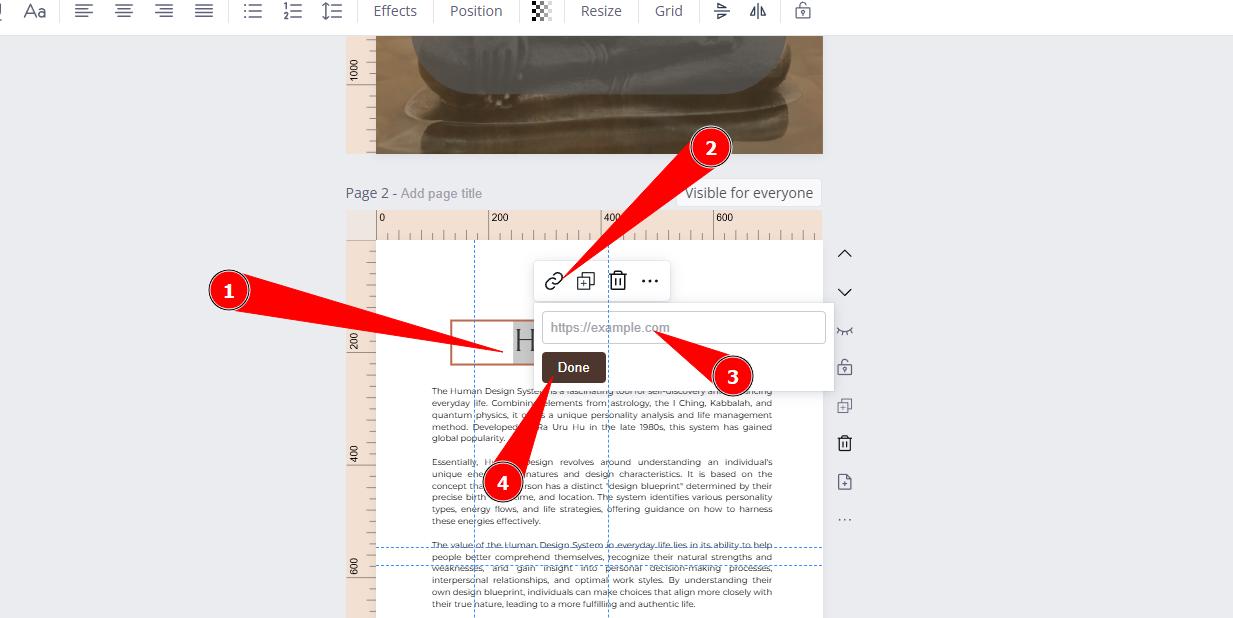
- select the desired text that you wish to convert to link
- click on the hyperlink icon above the text box
- add the full url (starts with https://…)
- click ‘done’
The link is now clickable in your PDF.
IMPORTANT: Blue highlight shows only for you at the ediror view to locate links. Client will see simple text. But you can format it by using underline and desired color to make link to stand out.
Still have questions, is above guide outdated? Please message us on Live Chat or send an email to support@bodygraph.com.