
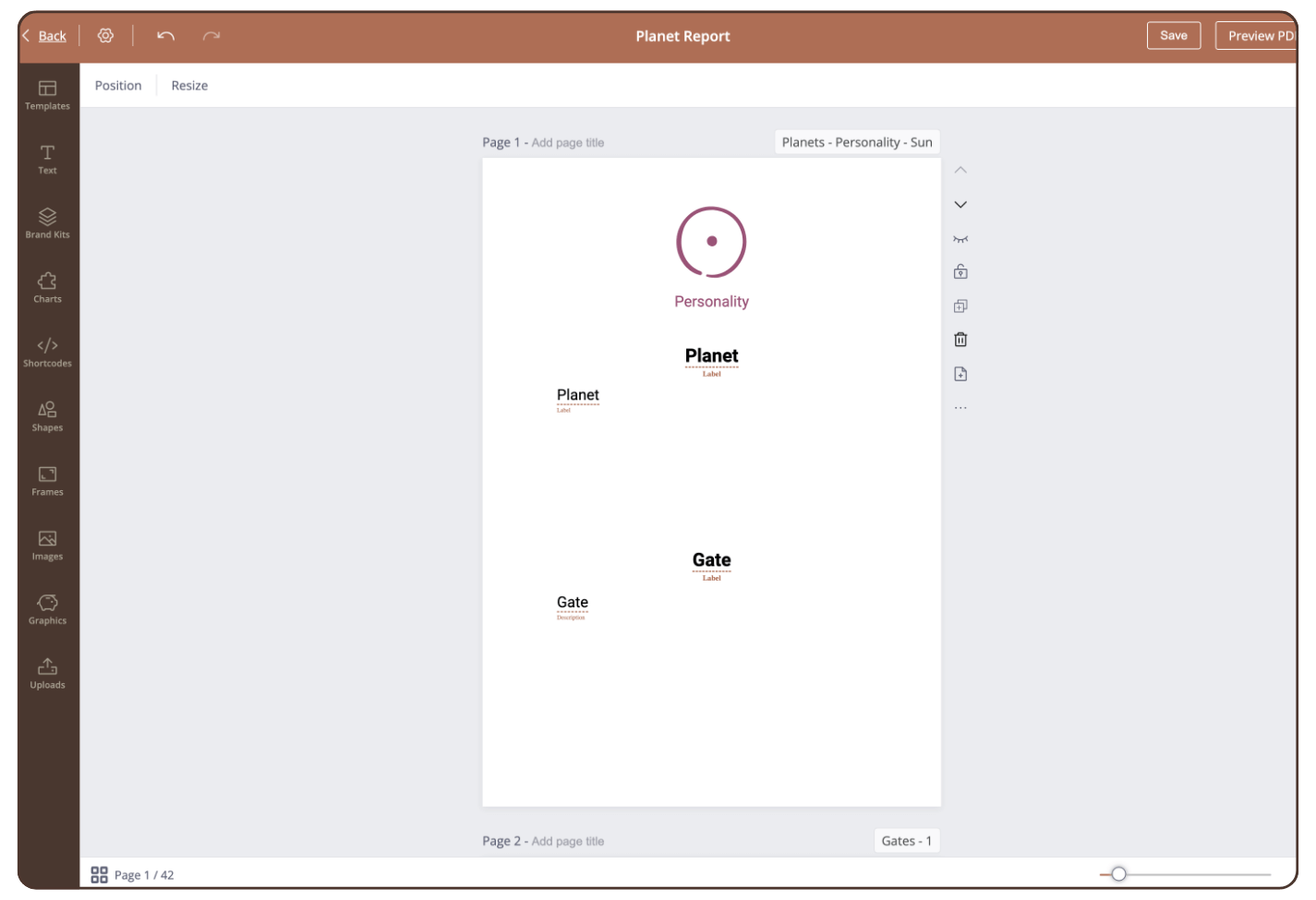
To create the content for all 64 gates of a planet with just one page, proceed as follows:
Step 1
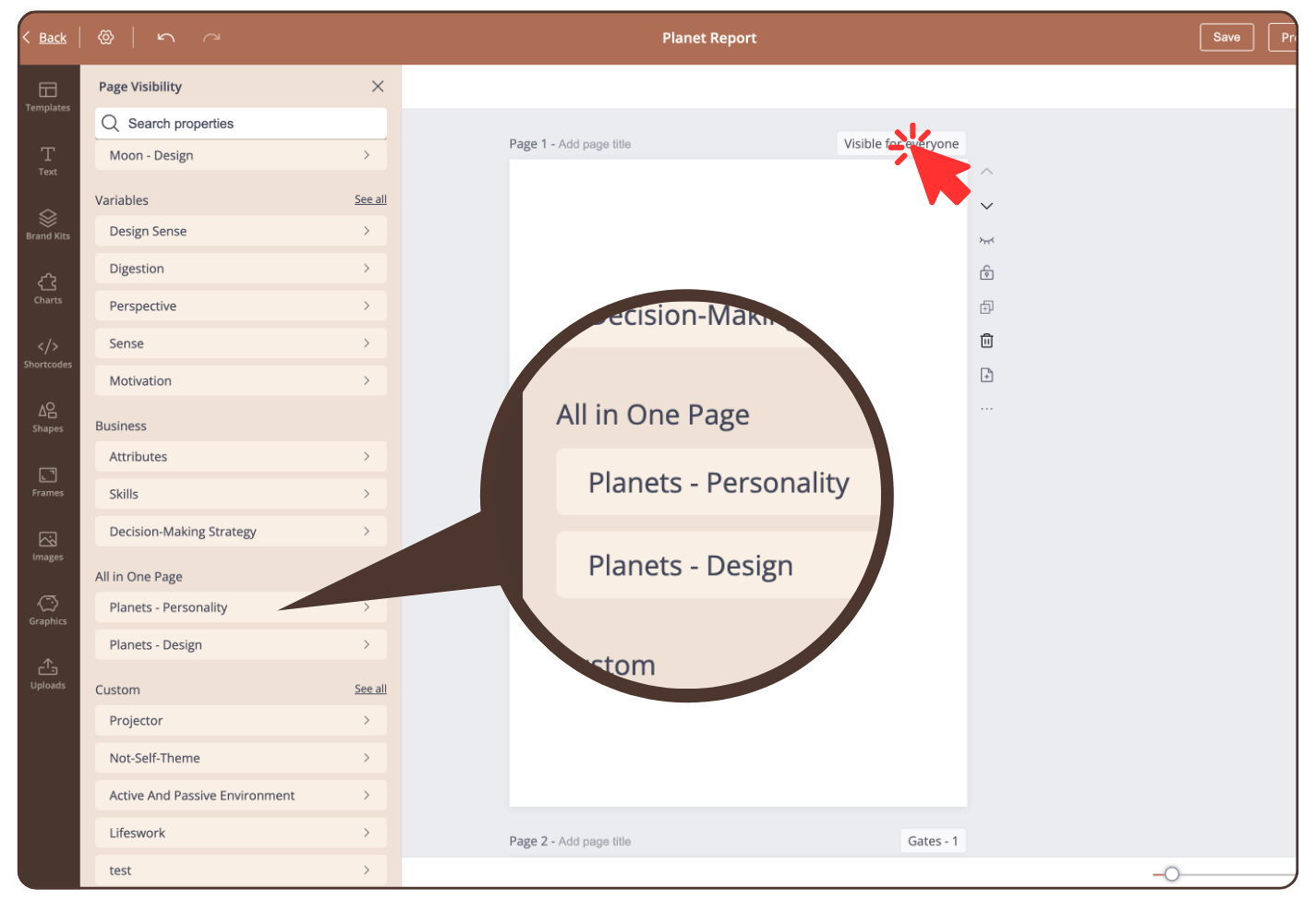
Click on ‘Visible for everyone’ and scroll in the sidebar to the category: ‘All in One Page’
Step 2
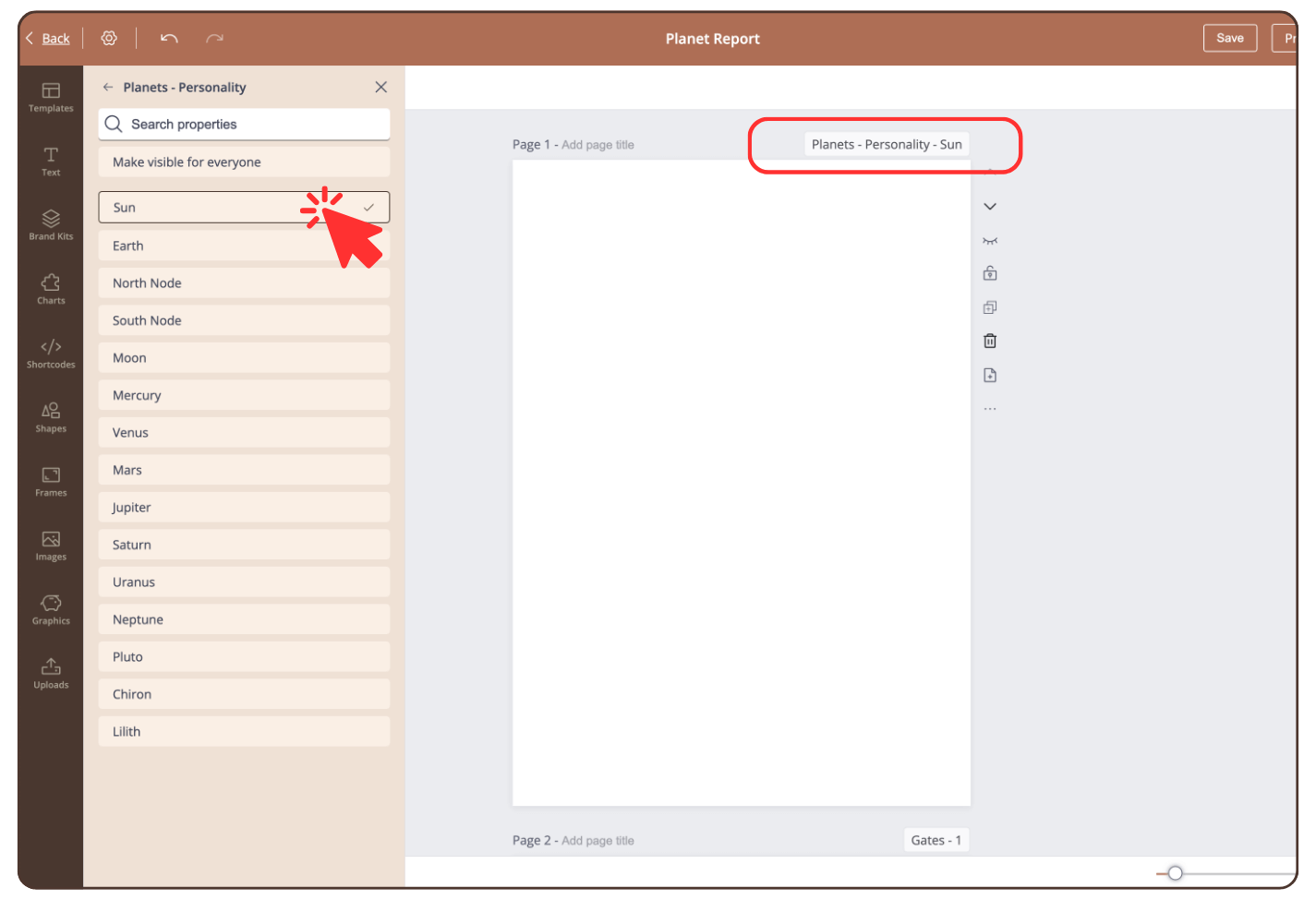
Click on ‘Planets – Personality’ or ‘Planets – Design’ and select a planet.
The page visibility is now changed.
Step 3
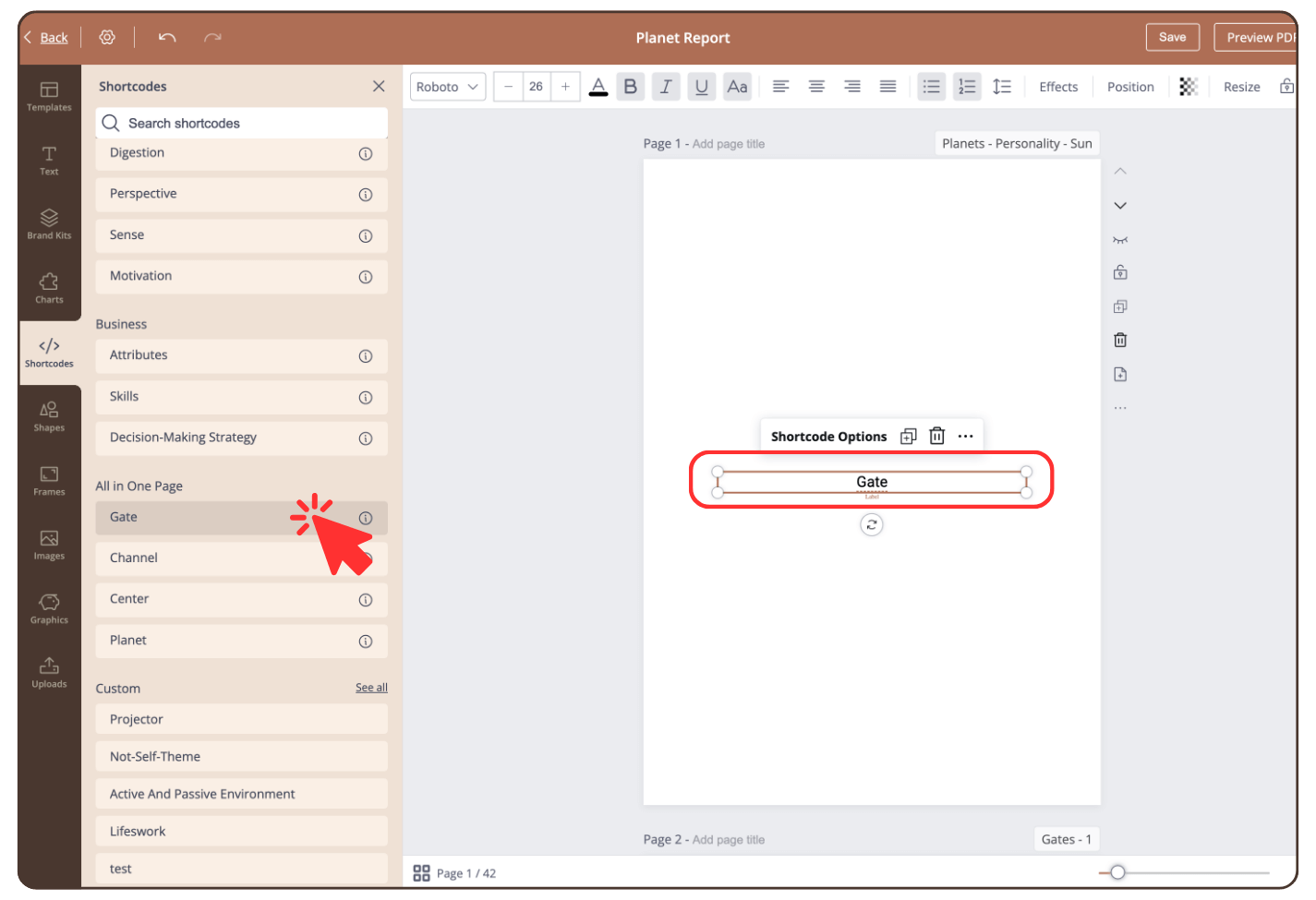
Click on ‘Shortcodes’, scroll to the category ‘All in One Page’ and click on ‘Gate’.
The shortcode will be added to the page.
Step 4
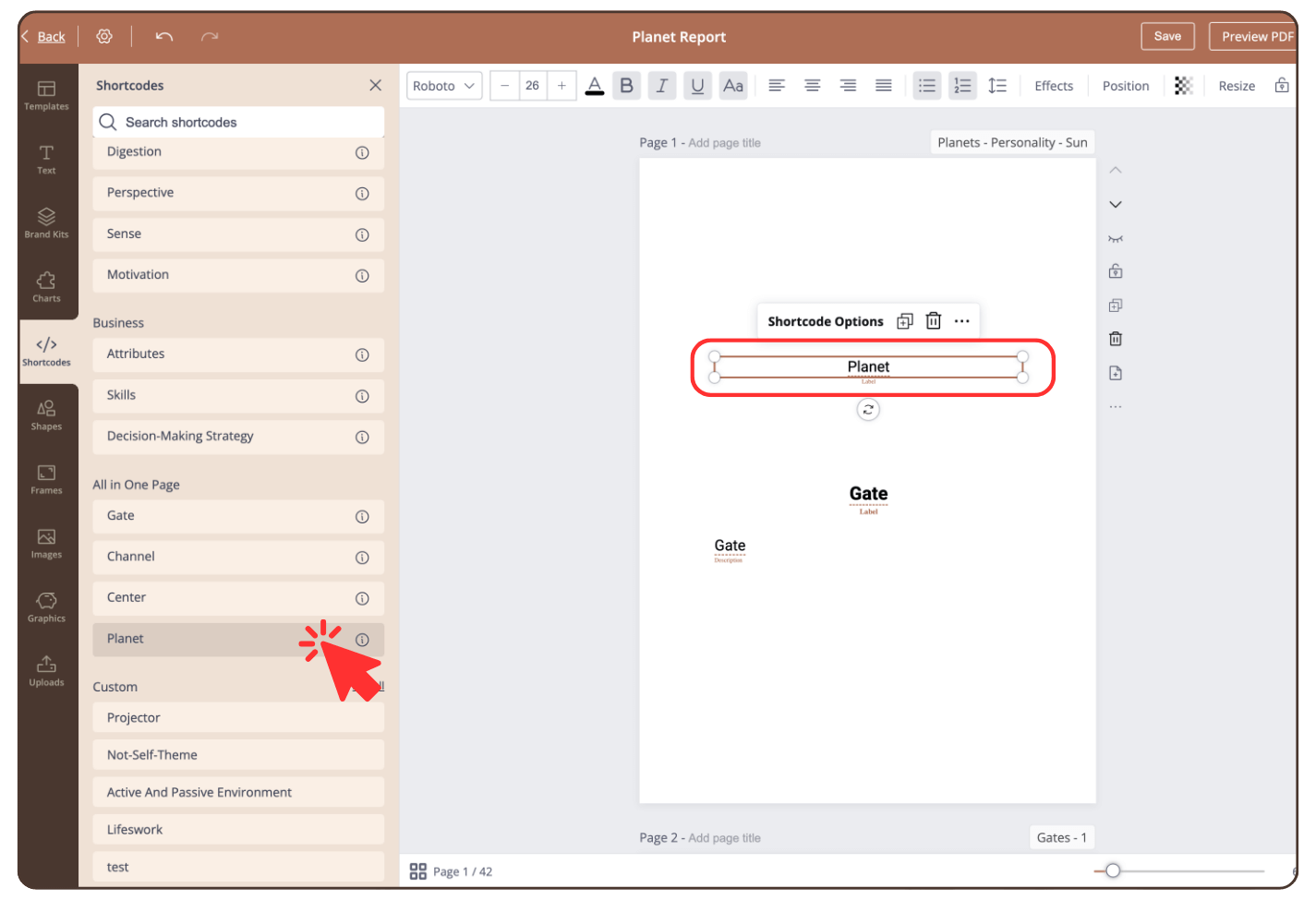
Adjust the font size etc. according to your wishes and repeat this process for the ‘Planet’ shortcode.
Step 5
Design the page if you like.
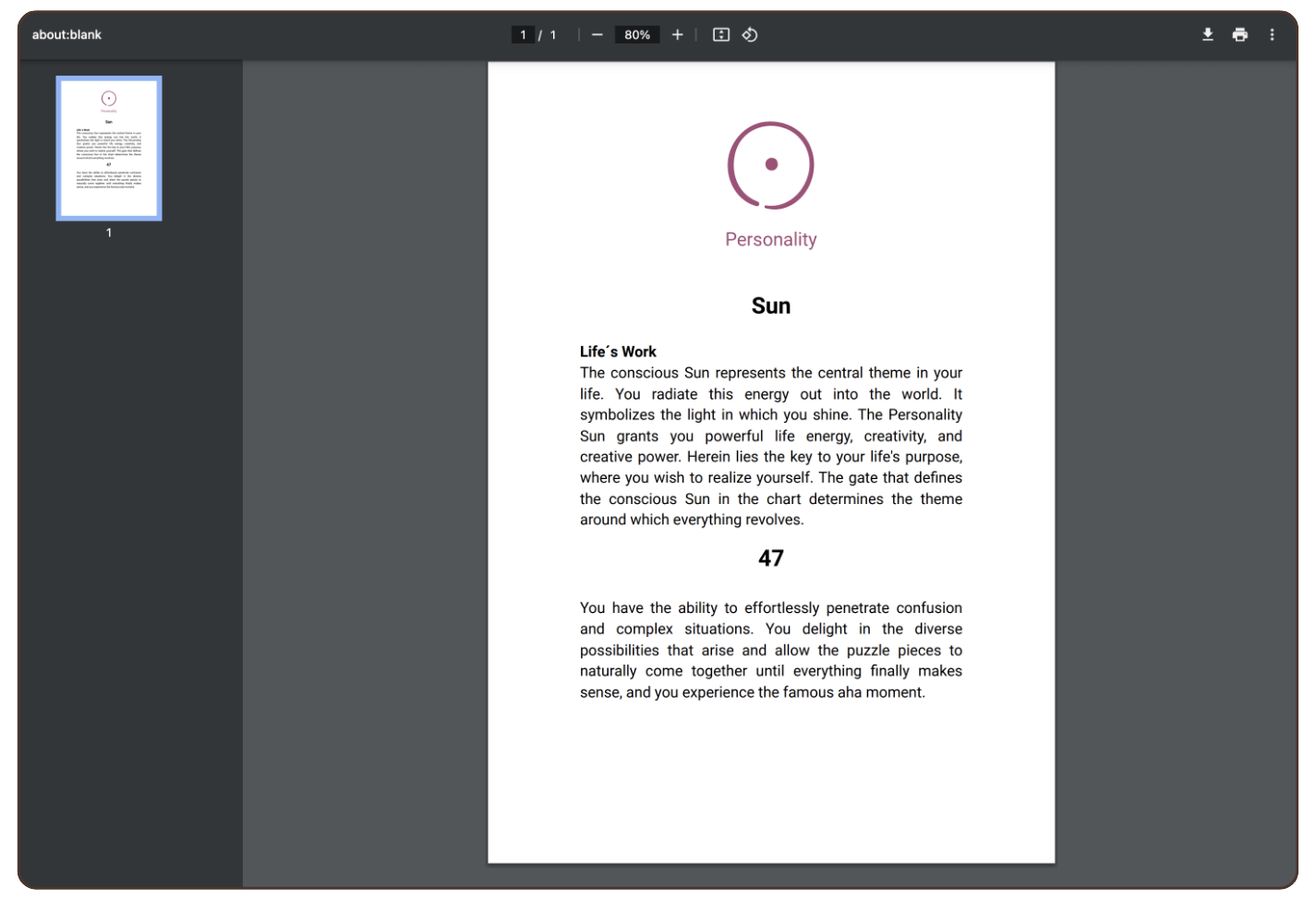
Result
The content of the corresponding planet and gate is displayed in the PDF.
To create all planet pages, we recommend duplicating this page, changing the page visibility and, if necessary, replacing the graphic.
Still have questions, is above guide outdated? Please message us on Live Chat or send an email to support@bodygraph.com.