
To show the degrees from the astrology chart, proceed as follows:
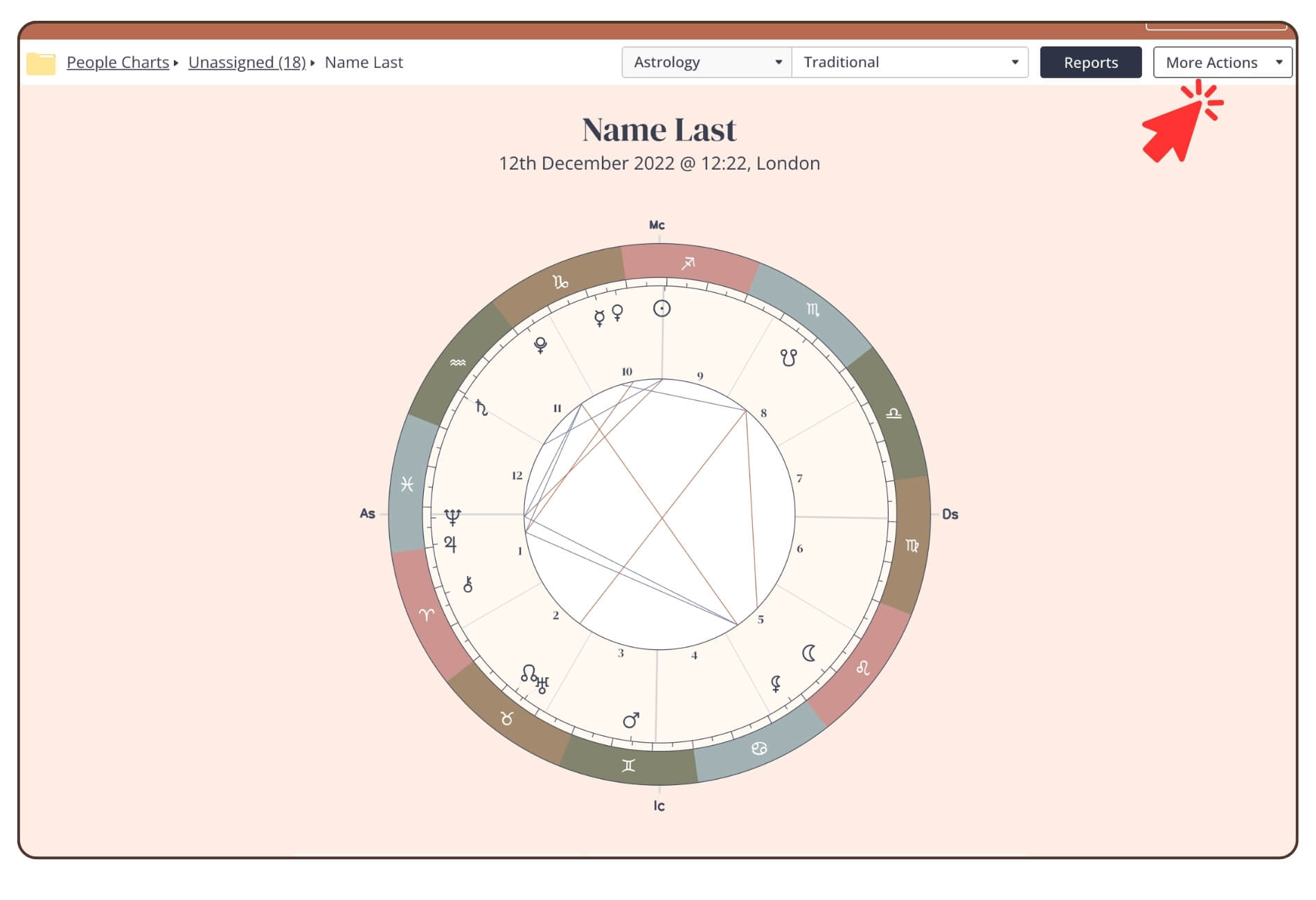
1. Click on ‘More Actions’ in the upper right corner.
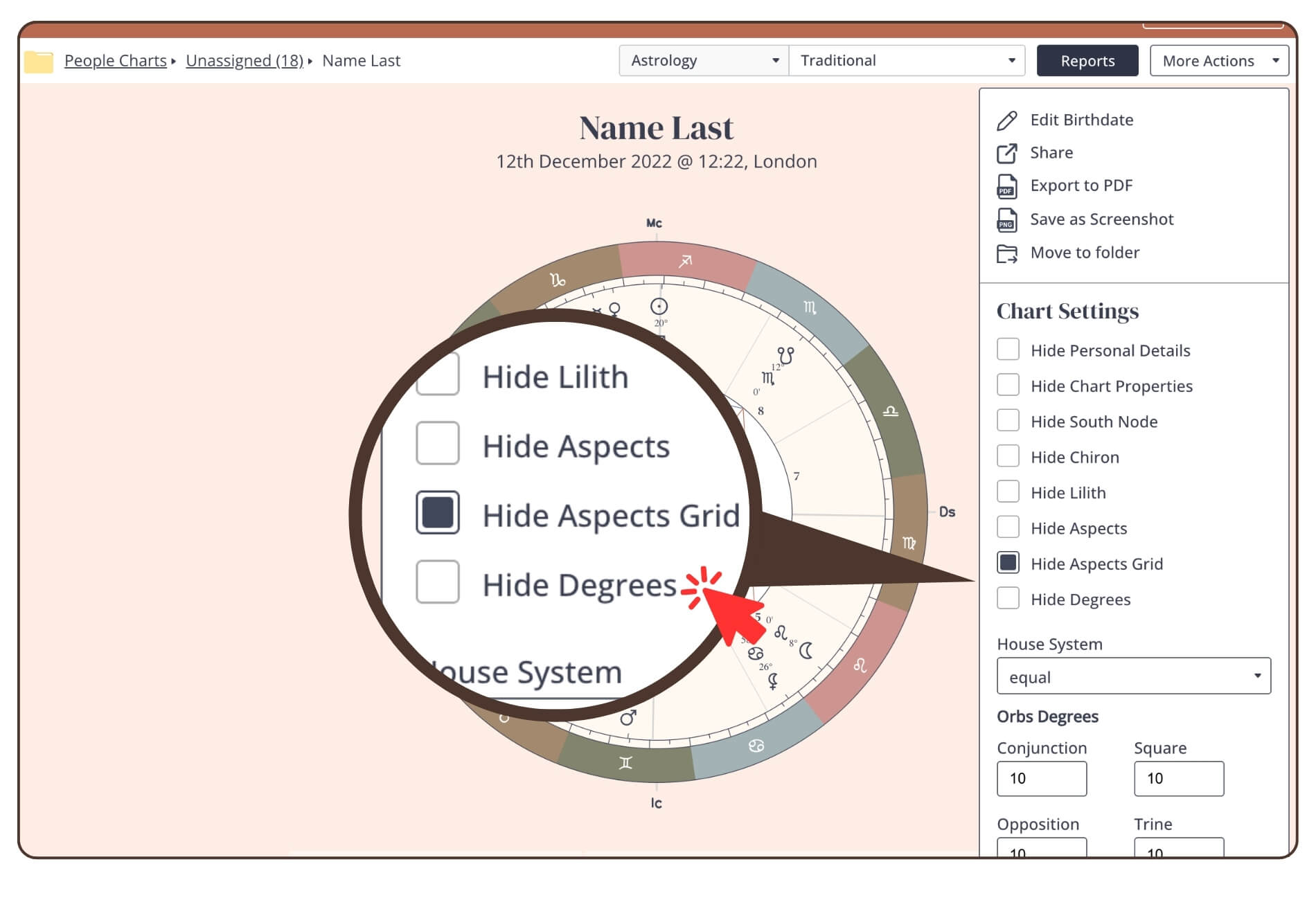
2. Click on ‘Hide Degrees’ in the sidebar to remove this activation.
Still have questions, is above guide outdated? Please message us on Live Chat or send an email to support@bodygraph.com.