
To translate/edit Astrology Chart properties please follow the steps listed below:
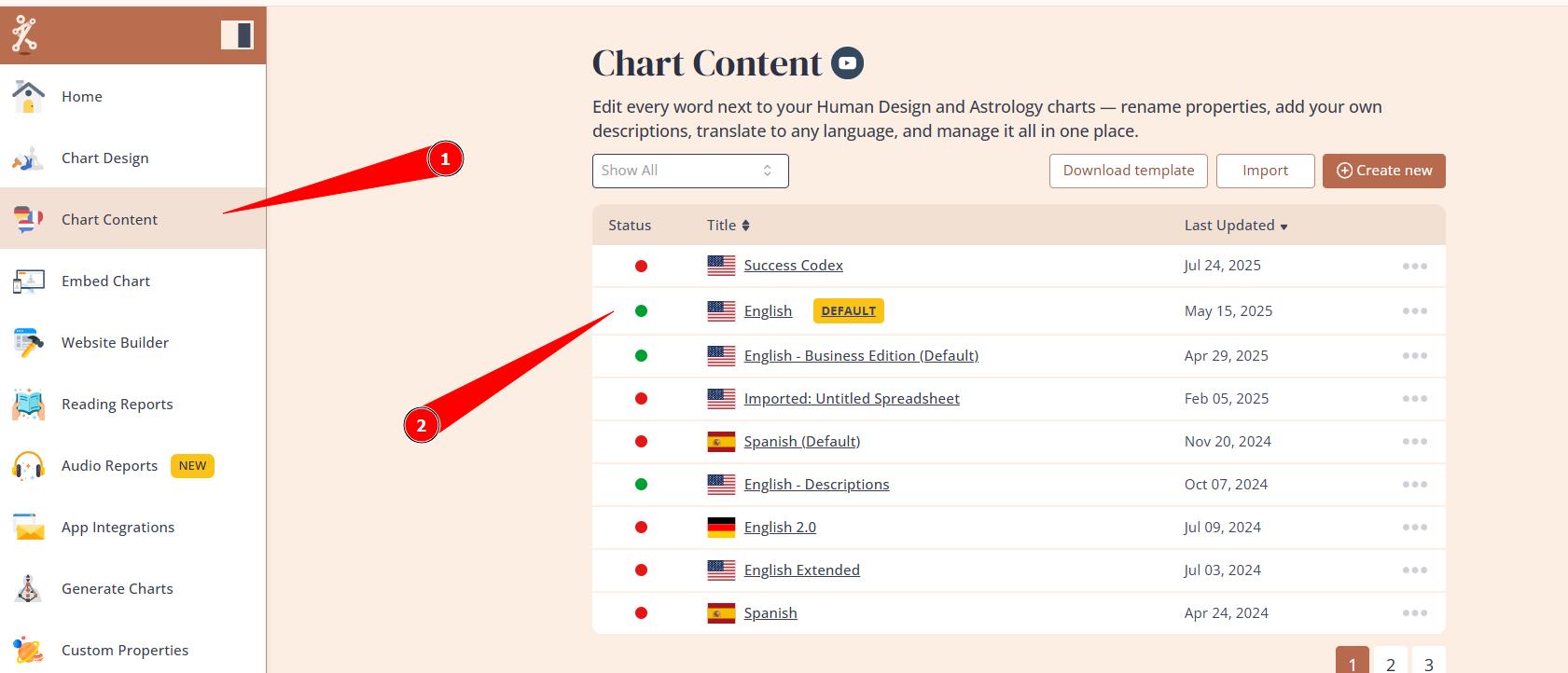
1. Go to Content tool and select the language that is assigned to the embed code that you’re using for your website.
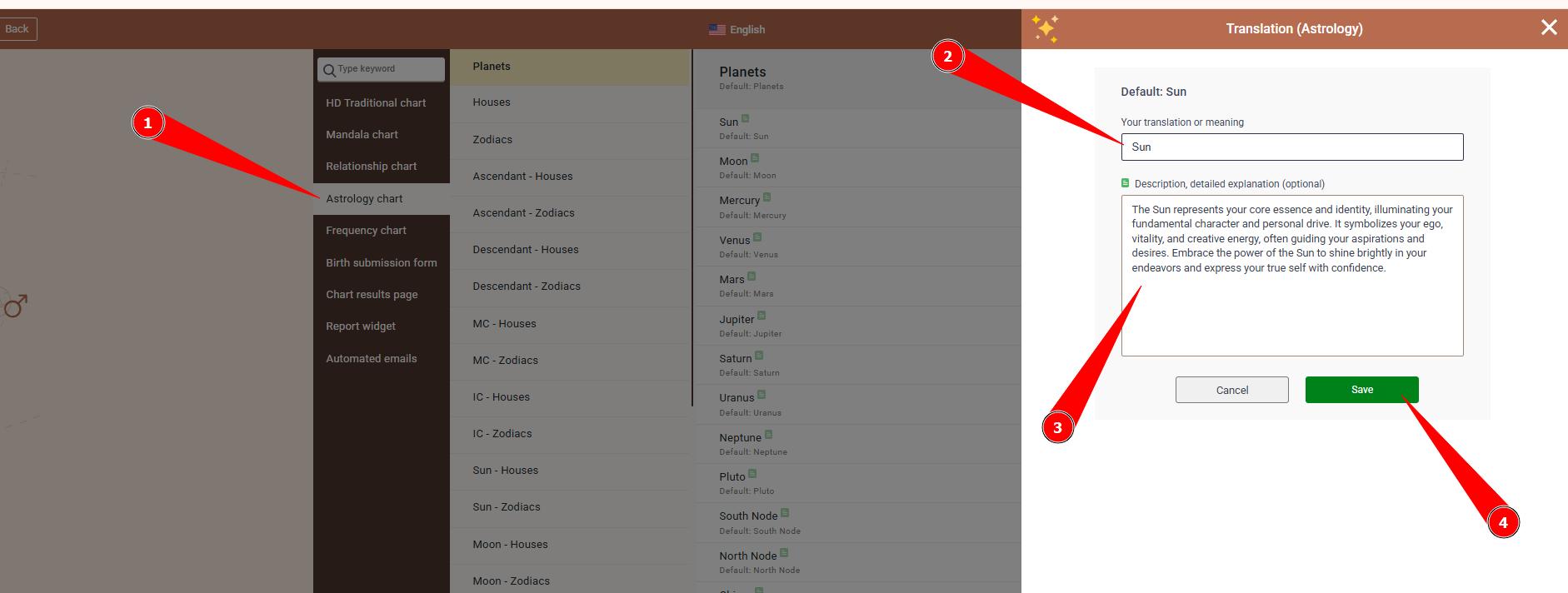
2. Select ‘Astrology chart’ option from the menu and edit the labels/ descriptions by pressing pencil icon next to the properties.
Frequently asked questions:
– Is there faster way to translate/edit Astrology language?
Yes. You can use Content export/import feature for quick and efficient edits/translations.
Related articles:
Language export/import feature
Still have questions, is above guide outdated? Please message us on Live Chat or send an email to support@bodygraph.com.