
All created properties at Custom property tool takes some time to appear both at the chart result and Reading reports tool. To speed up the process, follow the steps below:
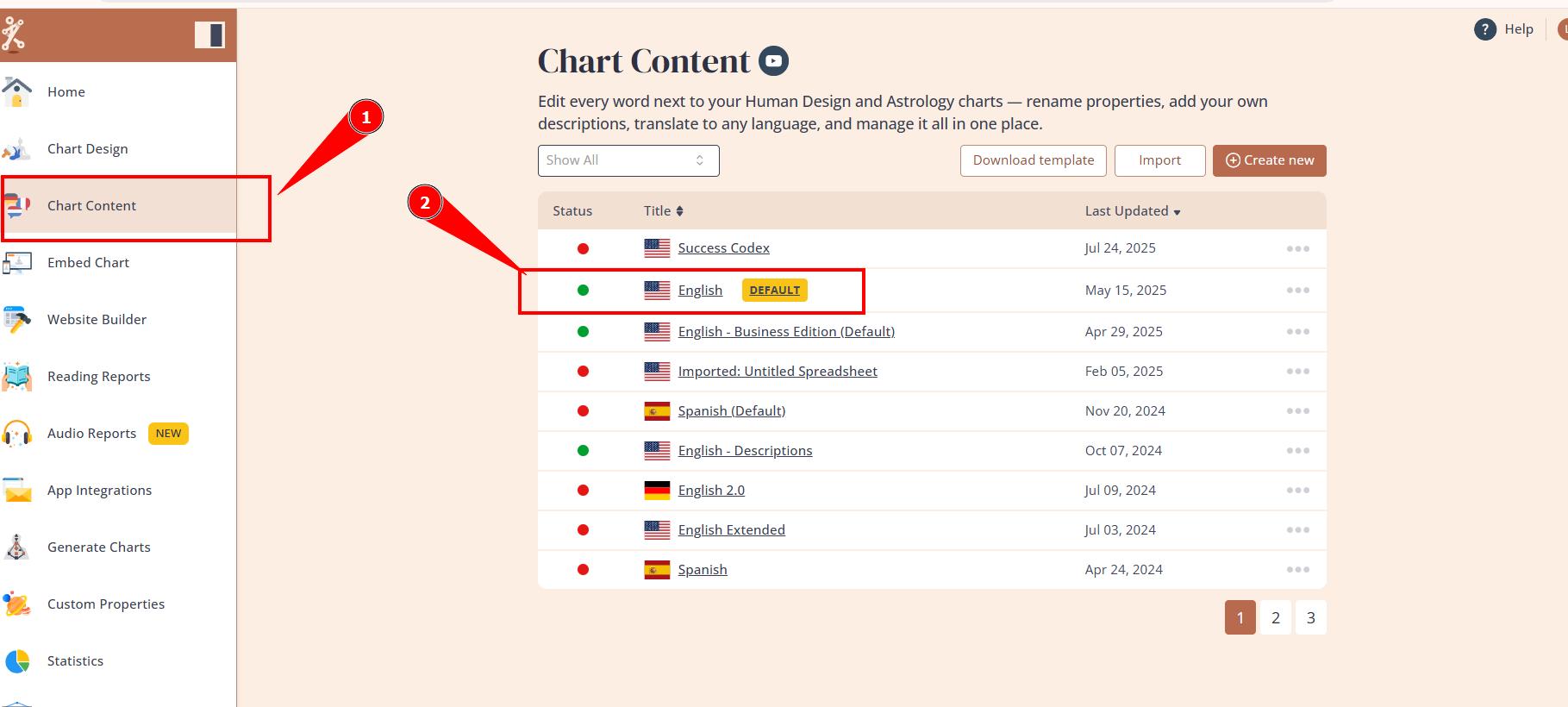
1. Navigate to Chart Content tool and open any language.
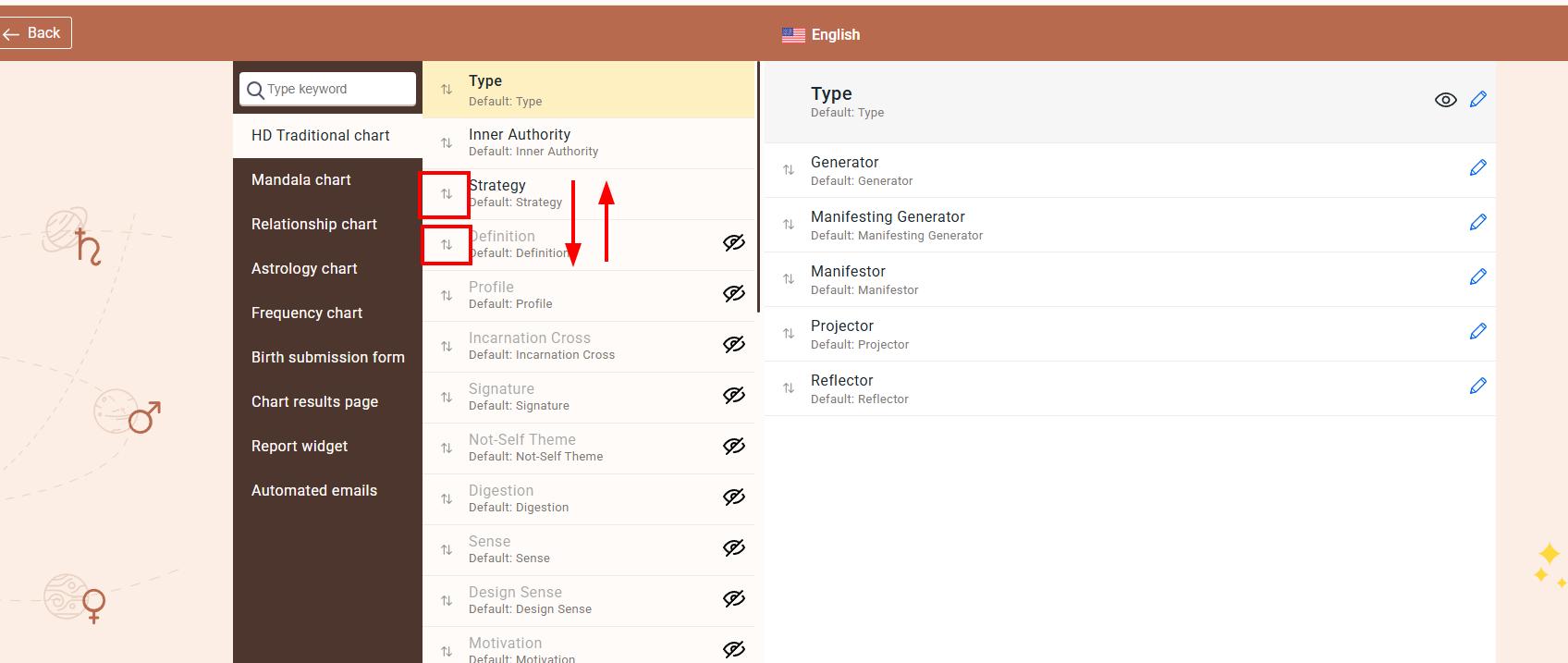
2.Simply rearrange any properties order and bring it back (this saves changes and pushes though to further tools).
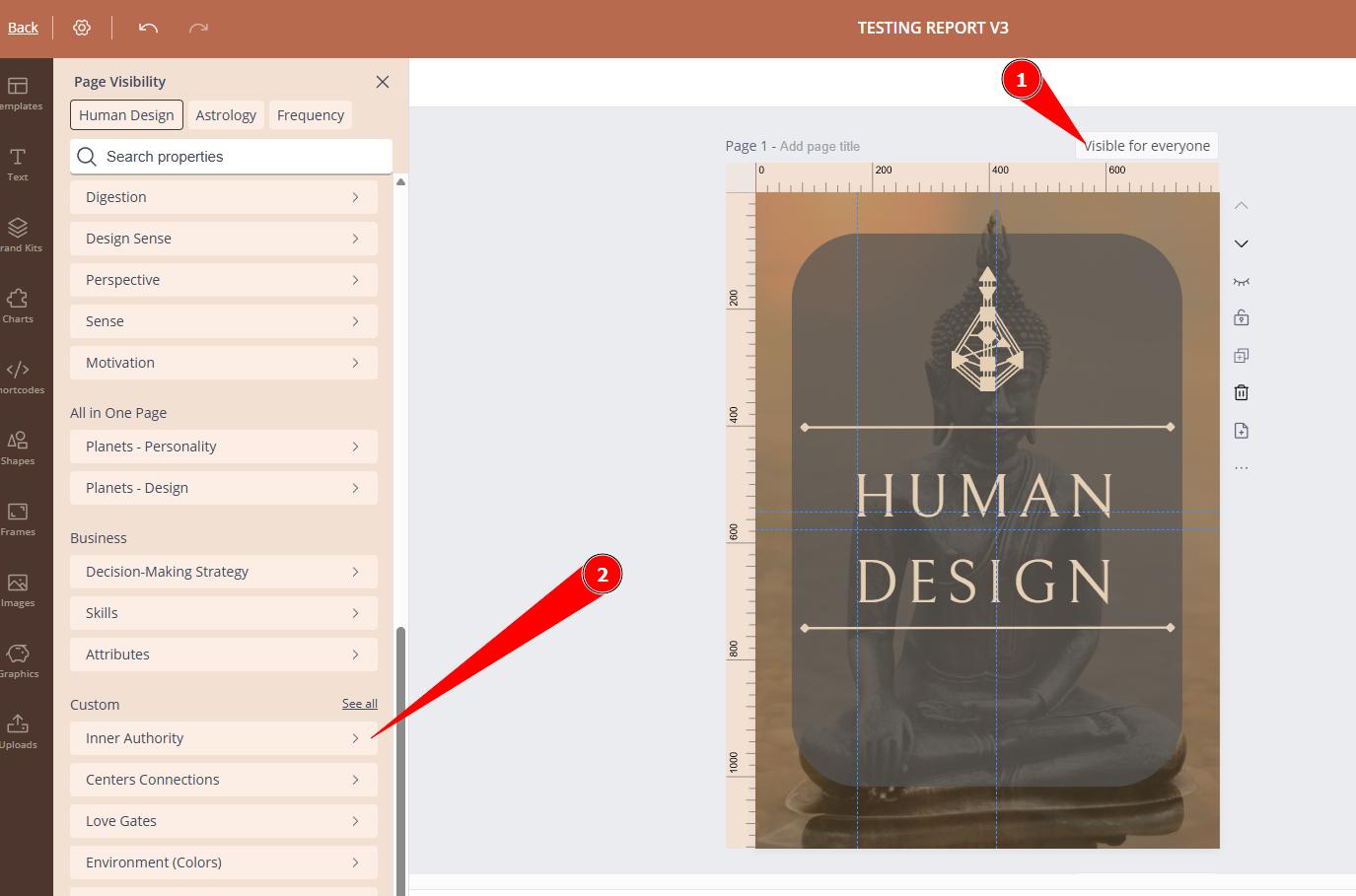
3. Check if property now shows up at the integrated chart and Reading reports tool as an option.
Related articles:
Still have questions, is above guide outdated? Please message us on Live Chat or send an email to support@bodygraph.com.