
Bodygraph.com introduces AI app integrations designed to support content creation within the Reading Reports tool.
These tools can assist with the following tasks:
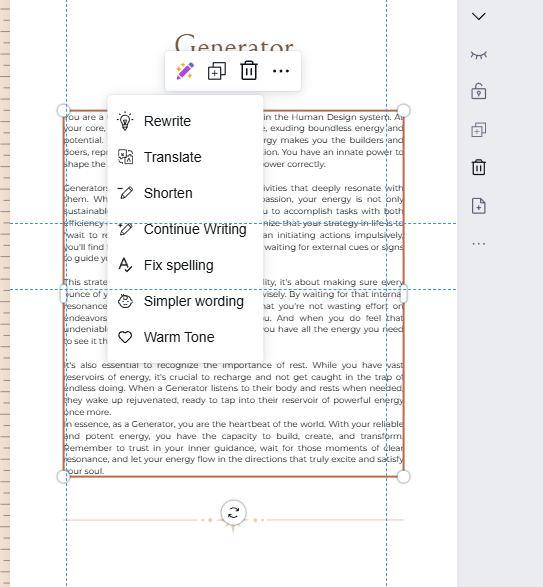
- Rewriting existing content
- Translating content into other languages
- Shortening text
- Expanding text or continuing existing content
- Correcting spelling and grammar
- Simplifying wording for better clarity
- Adjusting tone, for example changing it to a warmer style
Please note that the quality of generated or translated content depends entirely on the AI model selected and its capabilities.
Terms and conditions apply.
Frequently asked questions:
– What AI integrations Bodygraph.com support?
Currently Bodygraph.com supports Gemini integration for the Reading Reports tool.
– Can I use AI to create Reading report content from scratch?
We recommend using the AI tools strictly for refining existing content rather than as a primary source for Human Design or Astrology information. AI models are not fully reliable for specialized or esoteric knowledge and may produce inaccuracies or misinterpretations.
Related articles:
How to connect Gemini to Bodygraph Reading Reports tool?
Still have questions, is above guide outdated? Please message us on Live Chat or send an email to support@bodygraph.com.