
To edit report title and description follow the steps below:
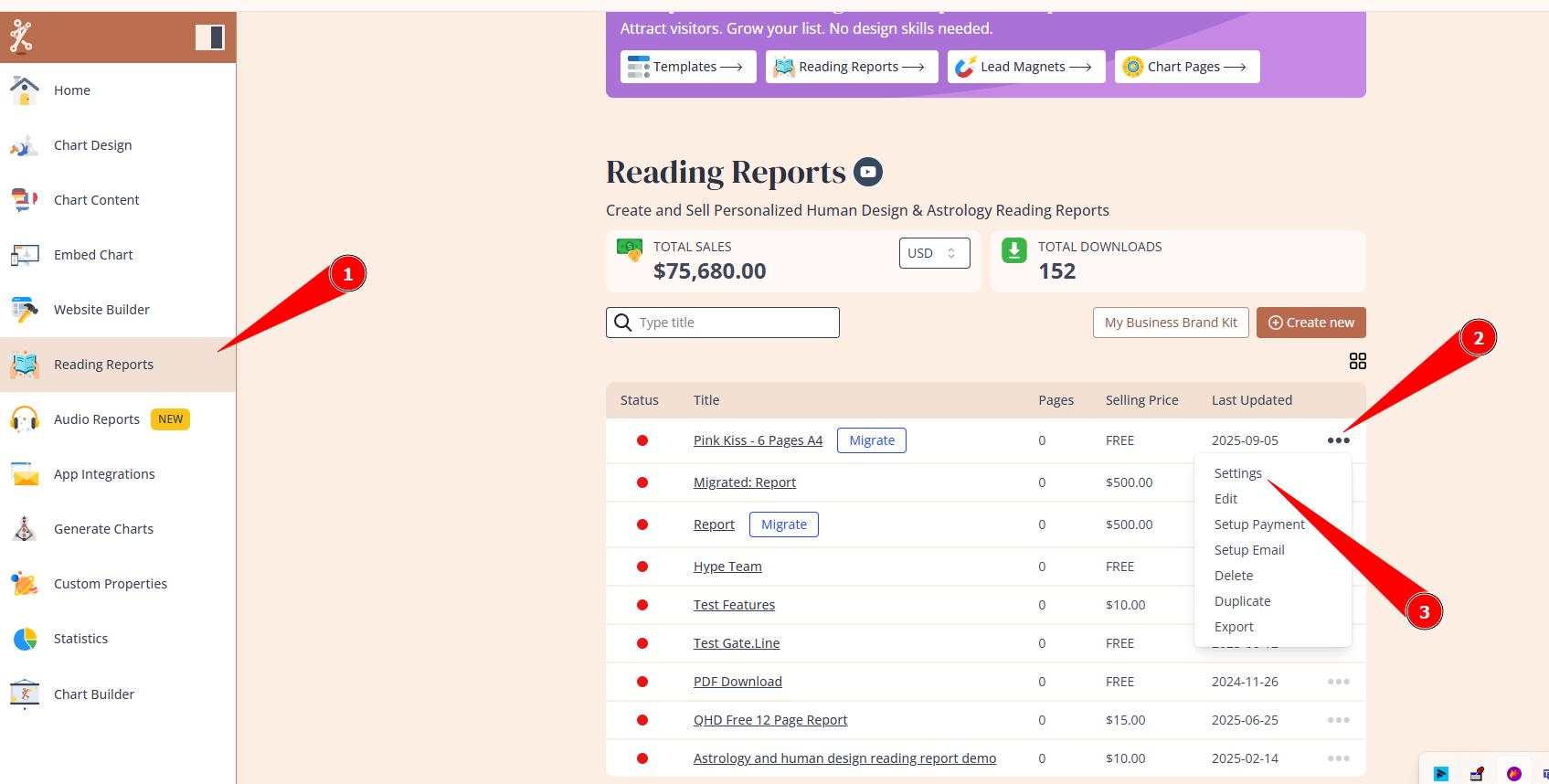
1. Navigate to Reading reports tool, hover over 3 little dots on the right side of the report that you want to apply changes to and select Settings:
2. Edit Name and Description of the report and click Save.

Still have questions, is above guide outdated? Please message us on Live Chat or send an email to support@bodygraph.com.