
To add links to the property descriptions on the result page please follow the steps listed below:
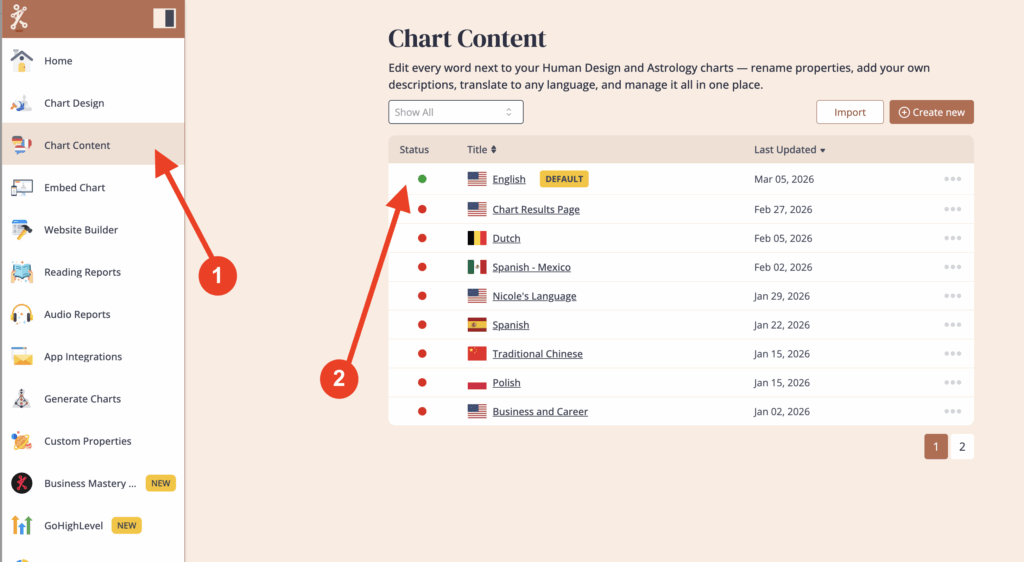
Click on ‘Chart Content’ and then select the language that is assigned to the embed code that you’re using for your website.
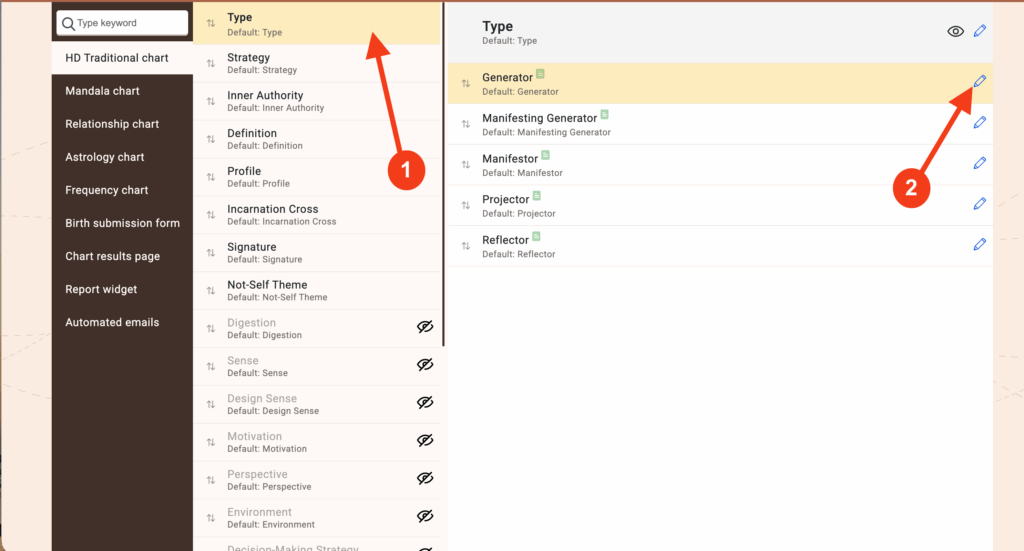
Click on ‘HD Traditional Chart’ and navigate to the properties that you want to add links to.
Click on the pencil icon next to the property that you want to add the link to.
Insert this code to the text where you want link to appear <a href=INSERT LINK HERE>TITLE</a>
(Paste your link where it says ‘INSERT LINK HERE’ and type in the text you want in place of the URL where it says ‘TITLE’ )
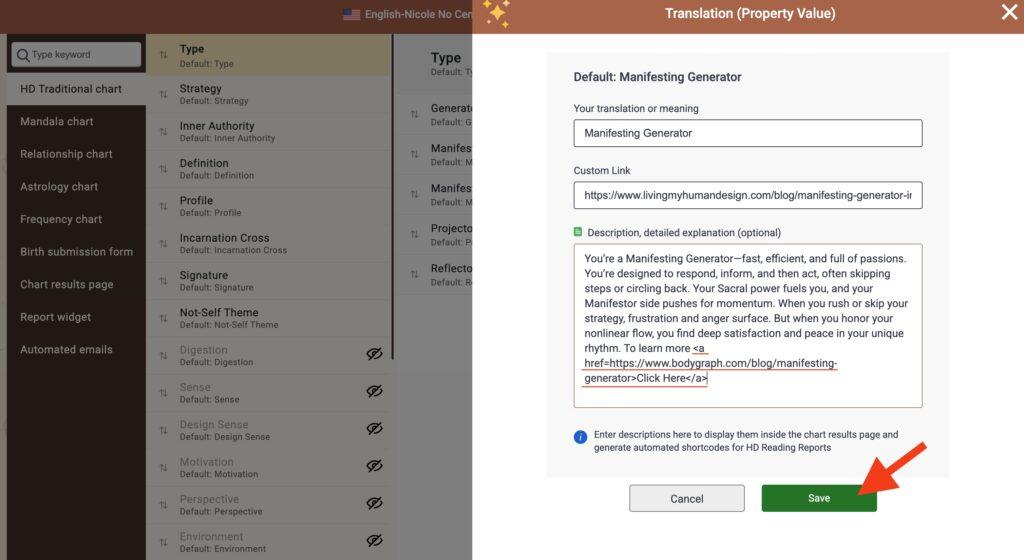
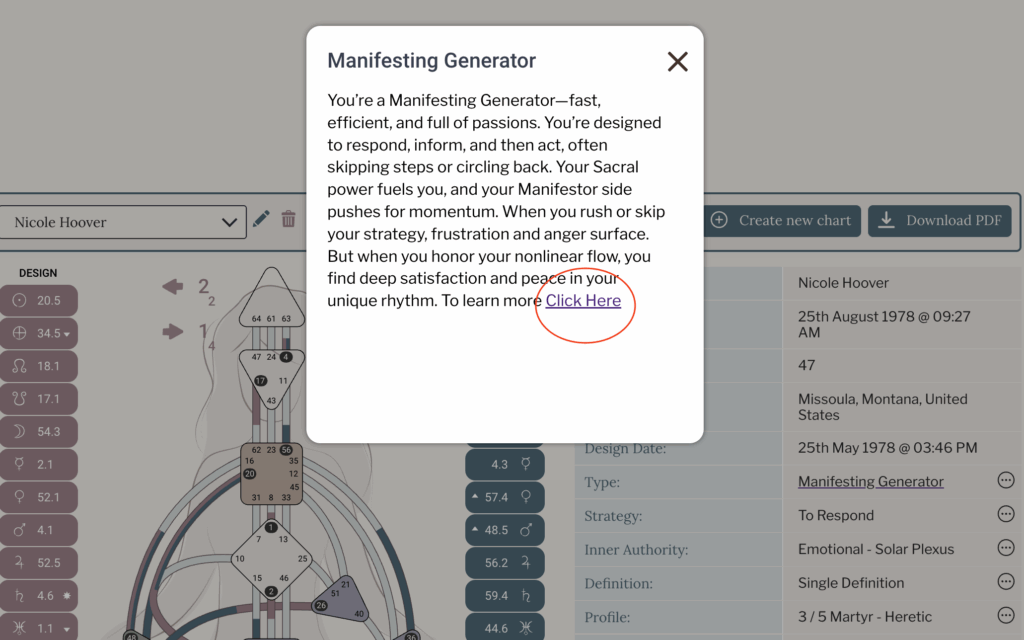
Click ‘Save’ and then go to your website to test the results.
Frequently asked questions:
– Do I need to re-embed chart when I want to change the chart content?
No. Changed content at the embed code will automatically update your integration at your website, re-embedding is not required.
Related articles:
How to add links to Chart Content?
Still have questions, is above guide outdated? Please message us on Live Chat or send an email to support@bodygraph.com.