
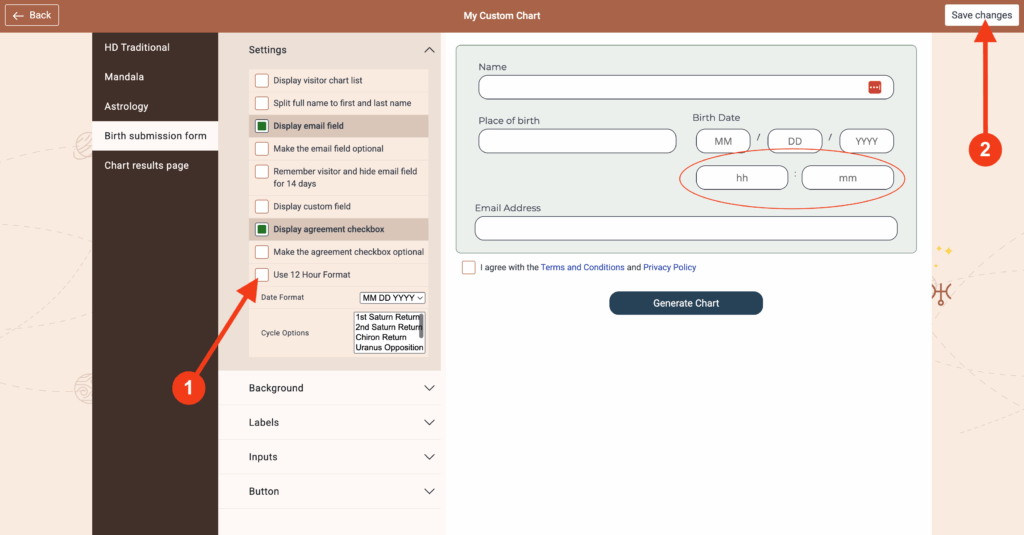
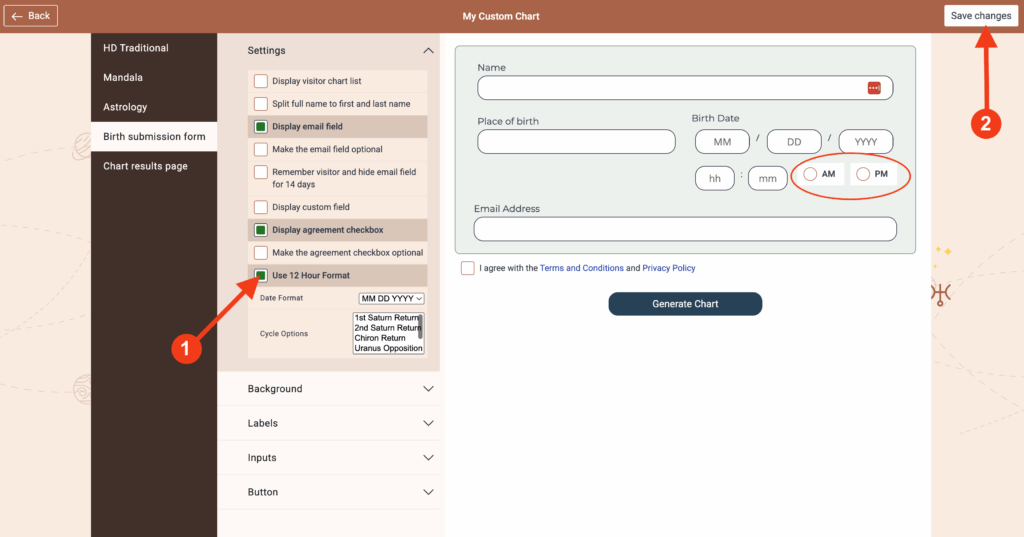
To specify the time in 12-hour format, proceed as follows:
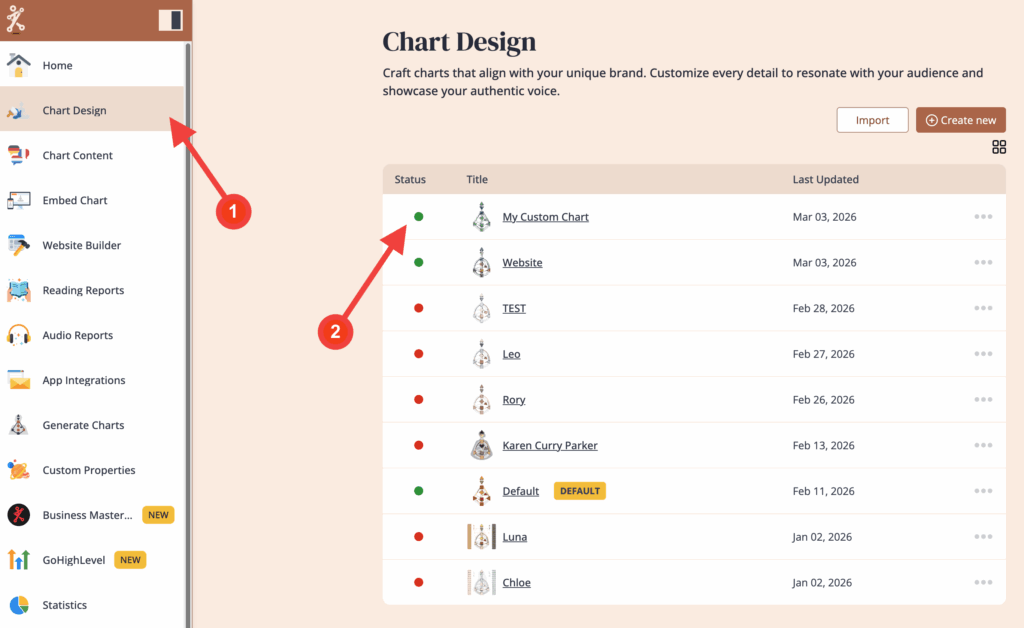
1. Open ‘Chart Design‘ and select the design that you want to edit
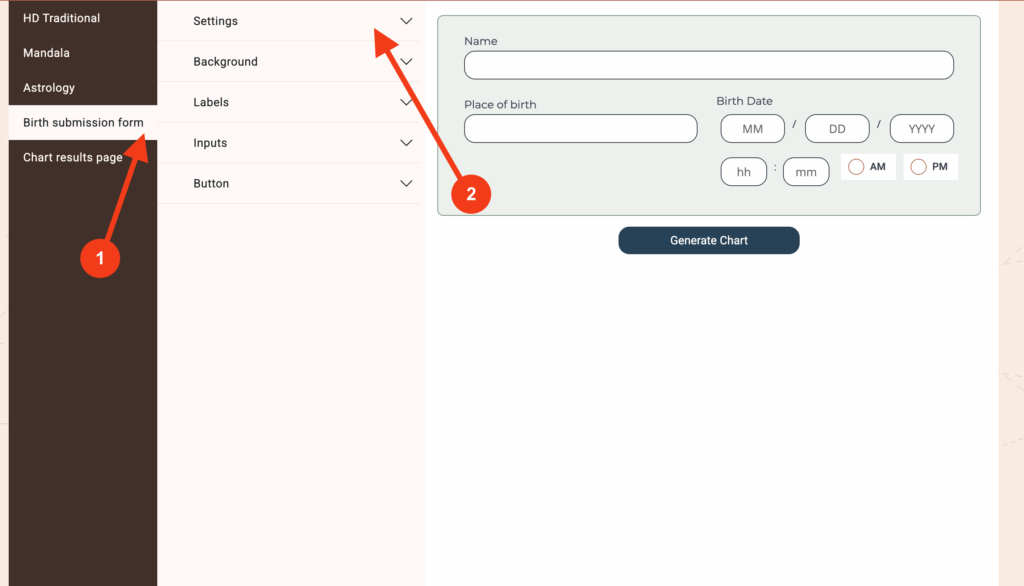
2. Click on ‘Birth submission form’ and then click on ‘Settings’ to expand the menu
3. Click/Unclick on ‘Use 12 Hour Format’ and then click on ‘Save Changes’
Frequently asked questions:
– Do I need to re-embed chart after making changes in Chart Design?
No. Changed design at the embed code will automatically update your integration at your website, re-embedding is not required.
Still have questions, is above guide outdated? Please message us on Live Chat or send an email to support@bodygraph.com.
Similar questions:
How can I display the time in 24-hour format?