
You can choose between the following house systems:
- Equal
- Whole sign
- Placidus
- Alcabitius
- Campanu
- sequal (MC)
- Carter poli-equ.
- horizon/azimut
- Sunshine
- Sunshine/alt.
- Koch
- Pullen SD
- Morinus
- equal 1=Aries
- Porphyry
- Pullen SR
- Regiomontanus
- Sripati
- Polich/Page
- Krusinski-Pisa-Goelzer
- equal/Vehlow
- axial rotation system/Meridian houses
- APC houses
Generate Chart
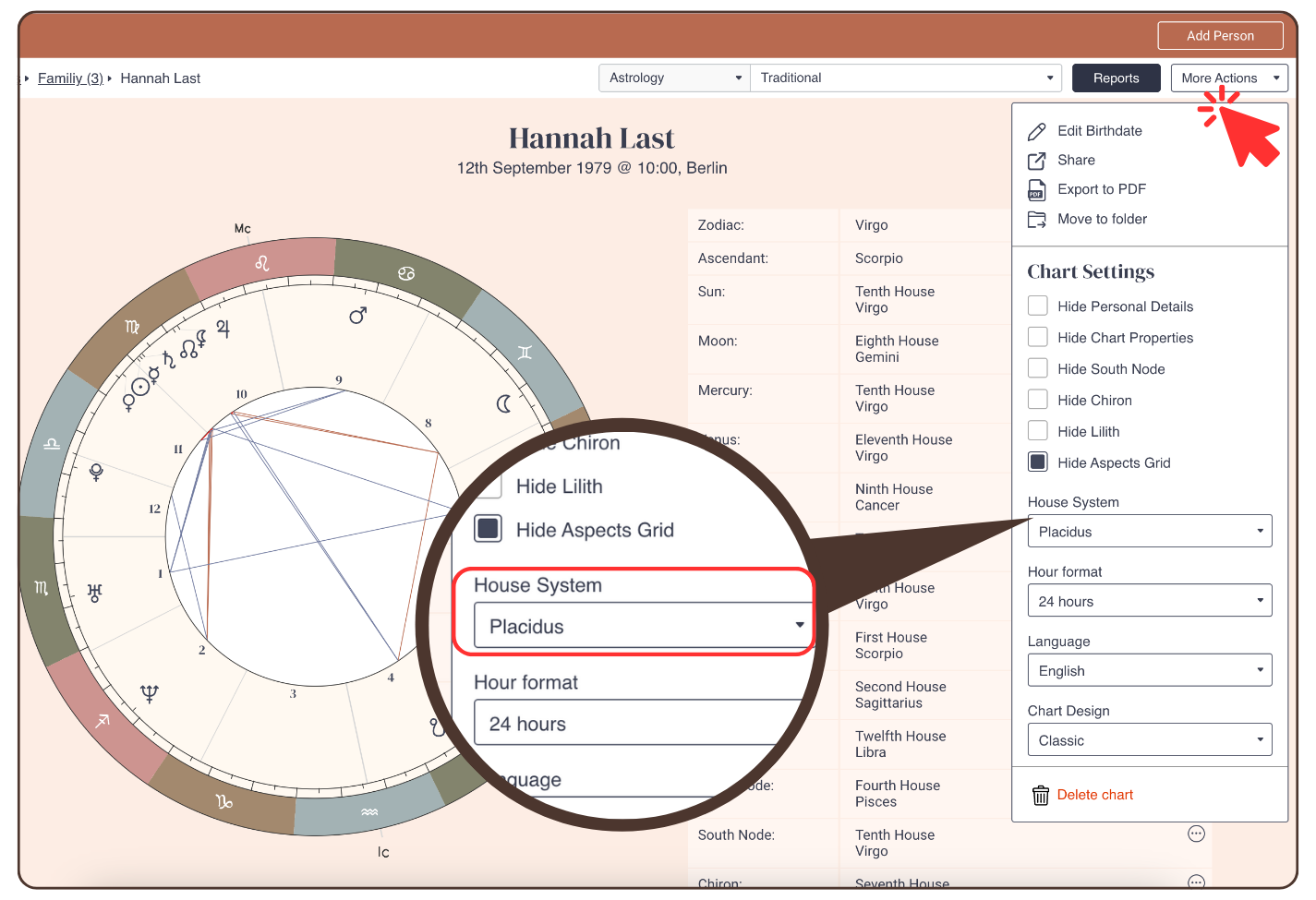
To change the house system in the astrology chart in ‘Generate Chart‘ proceed as follows:
- Click: ‘More Actions’
- Click on the drop down menu to select a housing system
Reading Reports
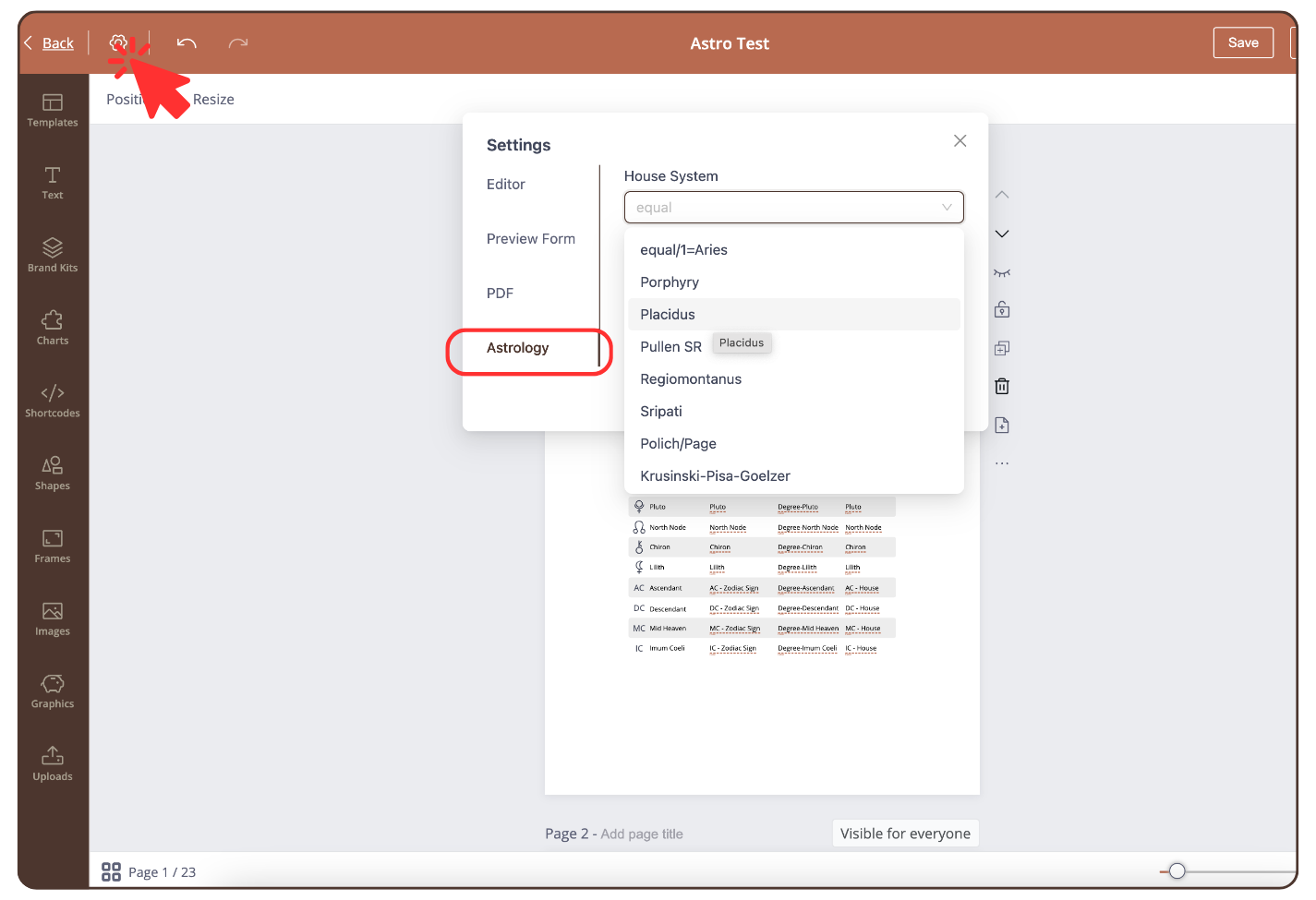
To change the house system in the astrology chart in ‘Reading Reports’ proceed as follows:
- Click on the settings icon at the top left
- Click: ‘Astrology’ and select a house system
Still have questions, is above guide outdated? Please message us on Live Chat or send an email to support@bodygraph.com.
Similar questions:
How to change the house system in the tool ‘Generate Chart’ or ‘Reading Reports’?