
To enable audio reports on your embed code please follow the steps below:
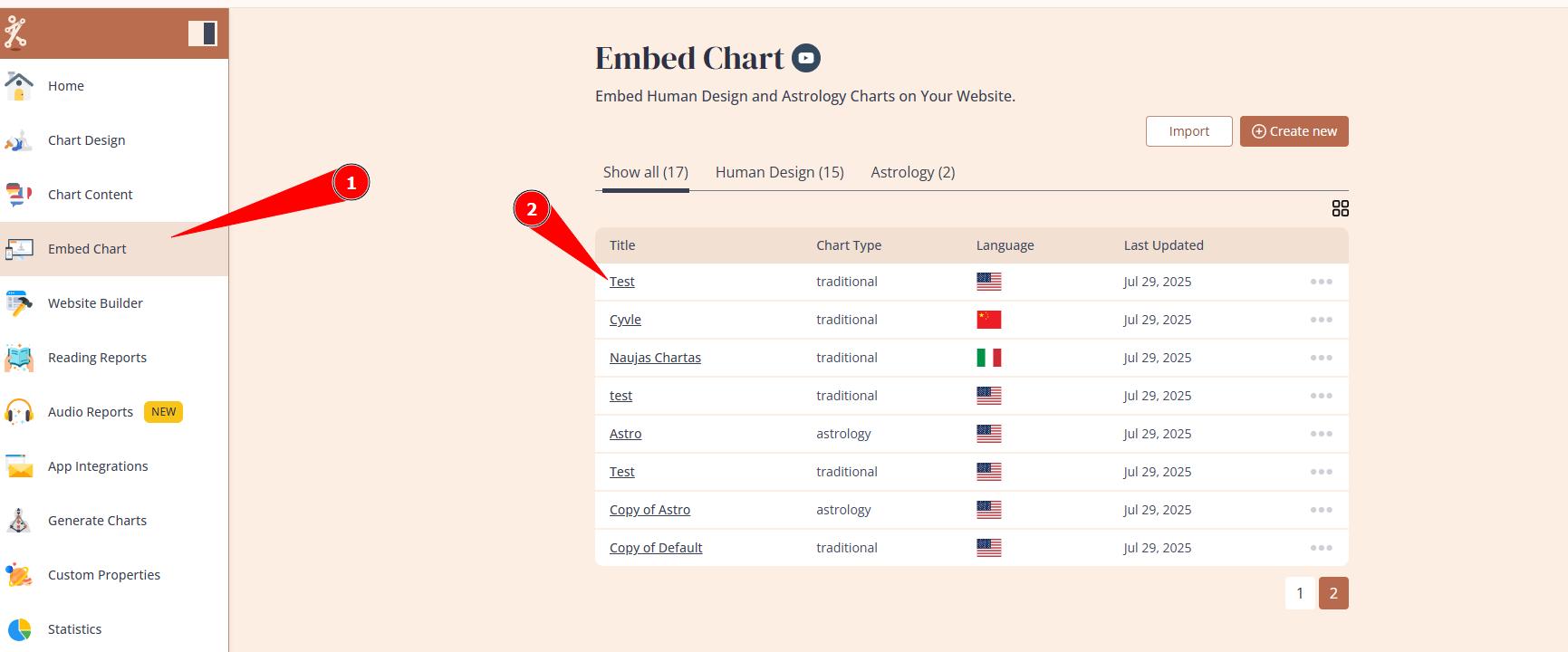
1.Go to Embed Chart and select the embed code that you are using/will use for your website
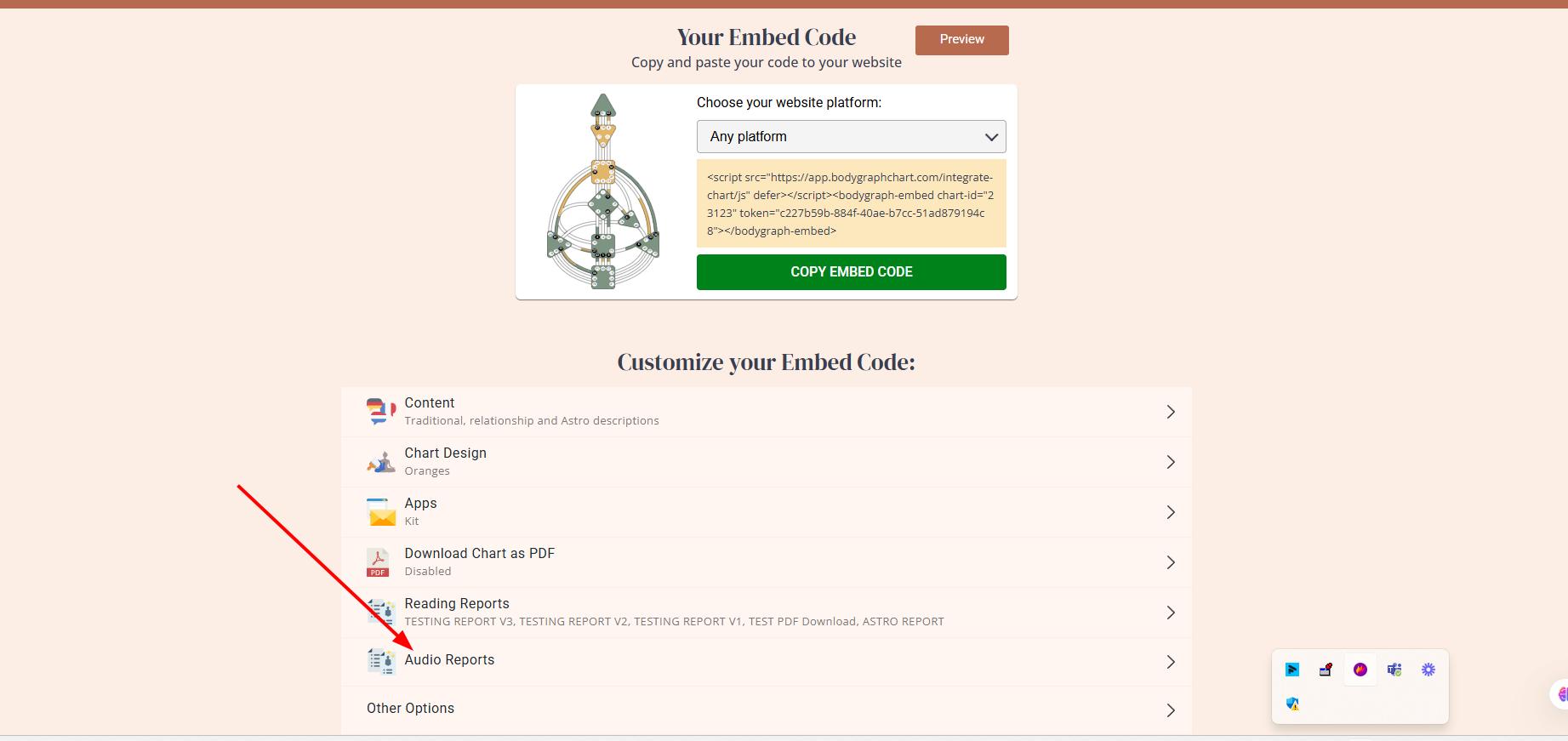
2. Click: Audio Reports
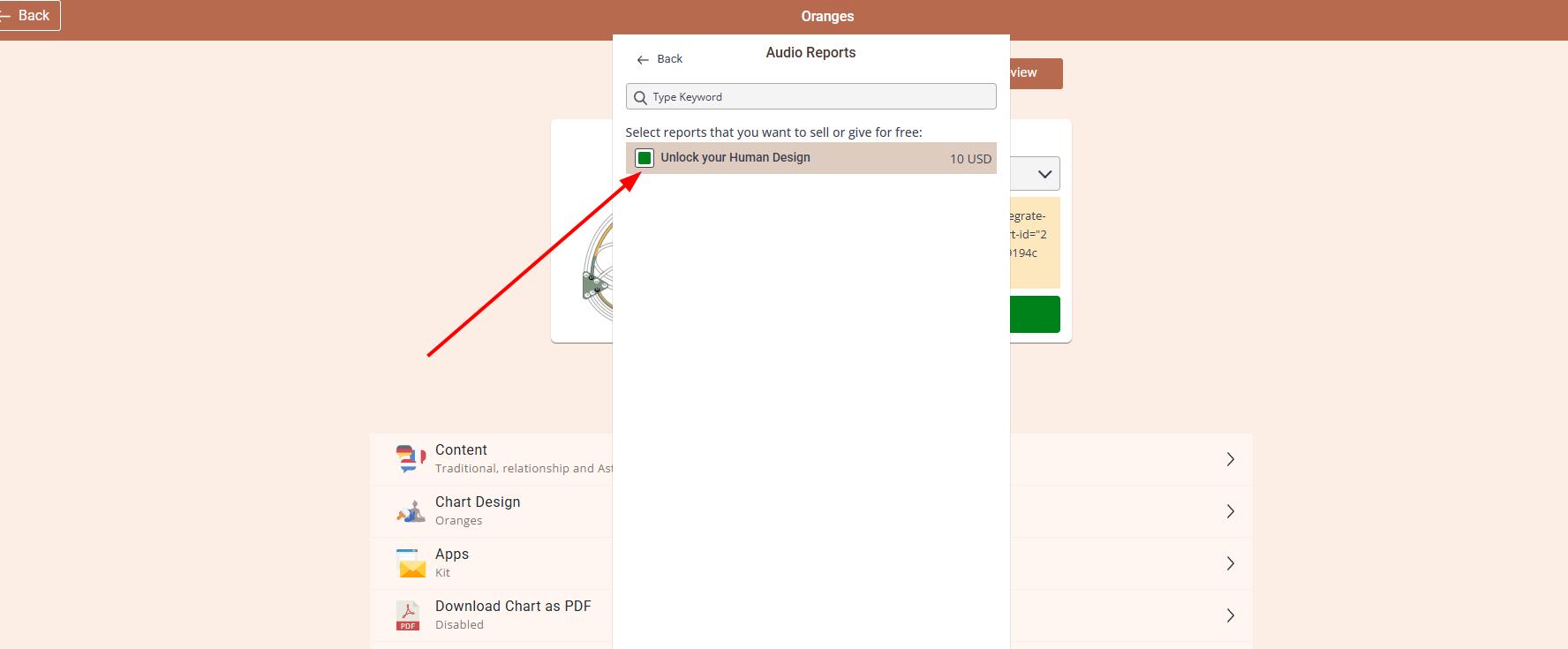
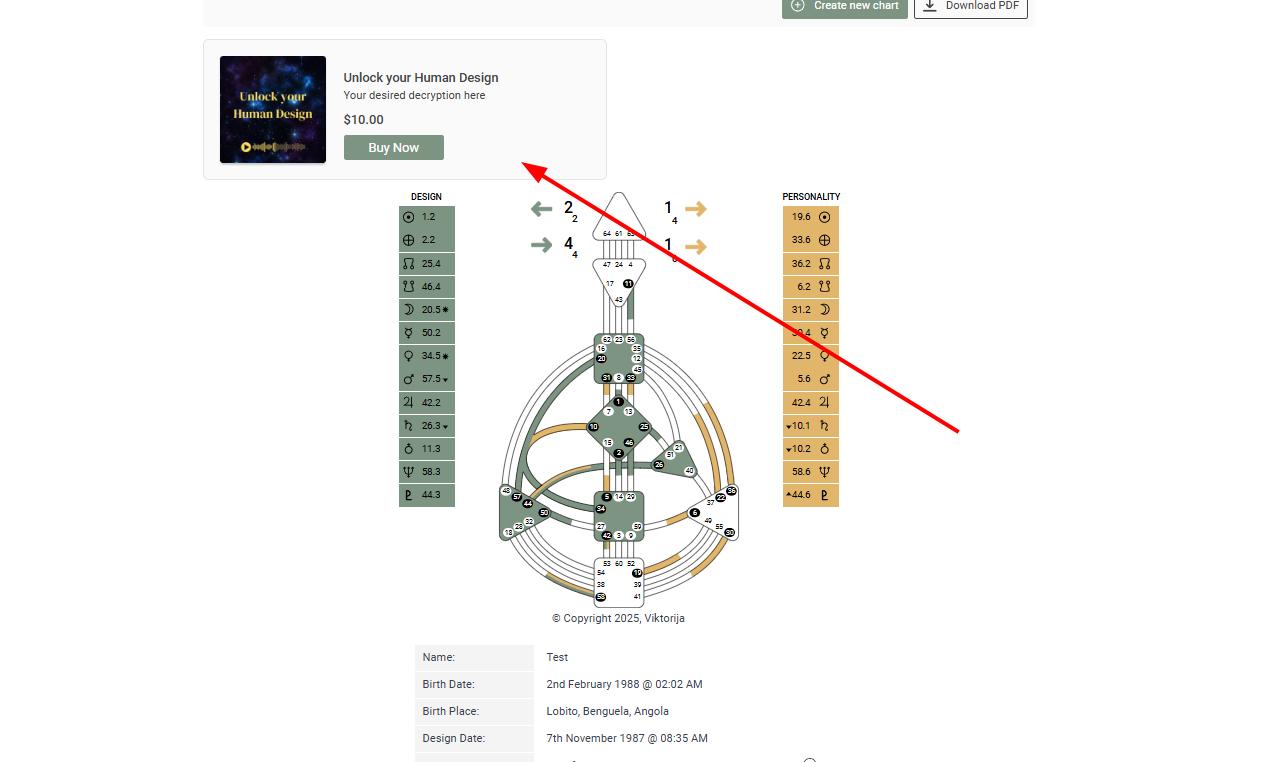
3. Enable audio reports.
Frequently asked questions:
– Is there a limit of how many audio reports I can sell?
No, you can sell an unlimited number of audio reports, provided you remain within your allocated audio track limit.
– Can I embed standalone audio report without chart submission step?
No. The audio reports tool uses smart mapping to automatically select and combine the appropriate tracks into a customized final report based on the client’s birth details. Because of this, the form submission step is essential.
Related articles:
How to build and edit Audio reports?
Still have questions, is above guide outdated? Please message us on Live Chat or send an email to support@bodygraph.com.