
Create a WordPress.com account.
Embed code to the website
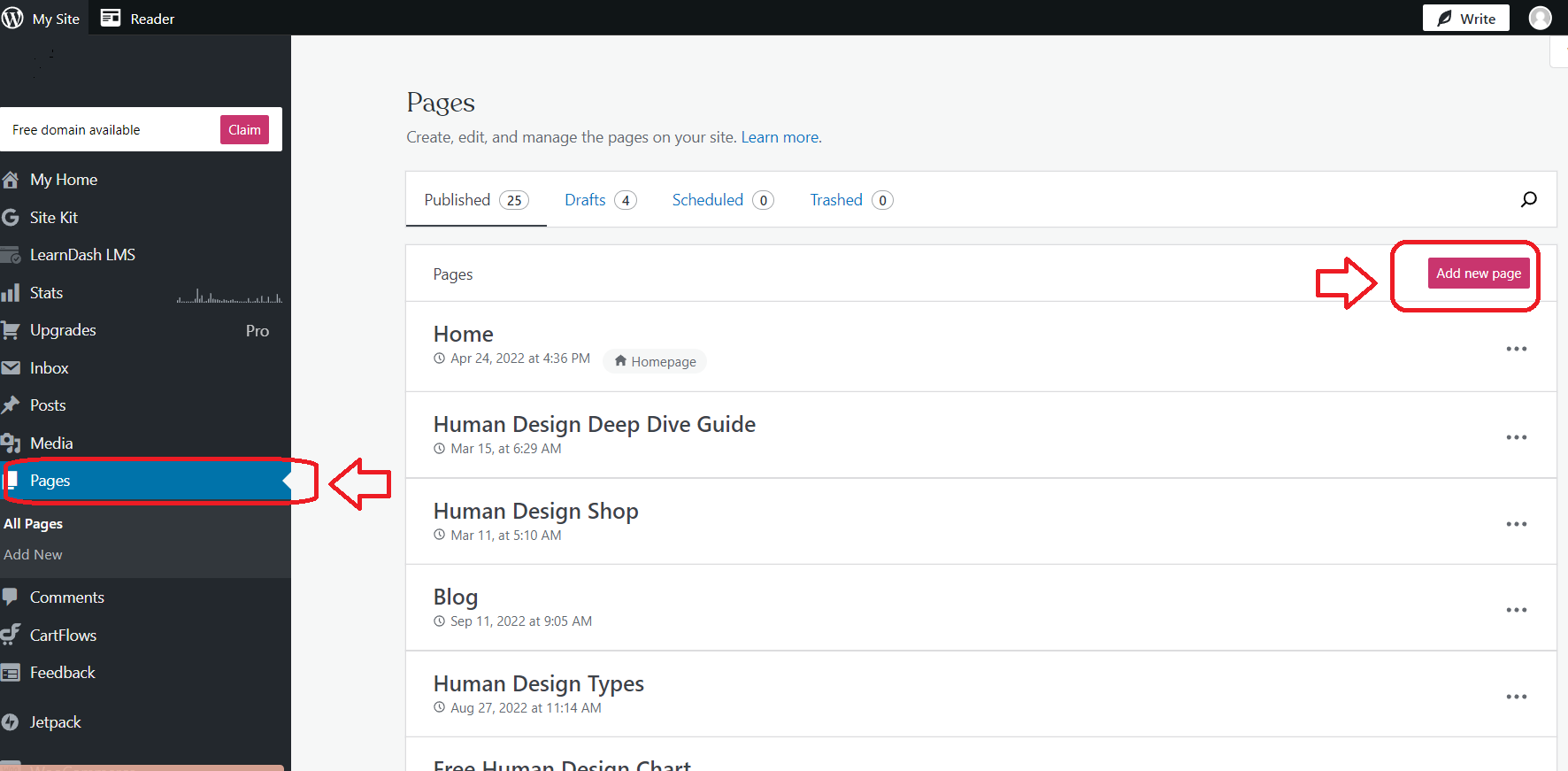
1. Login to your WordPress.com dashboard and press ‘Pages’ from the taskbar on the left. Then press ‘Add new page’ button.
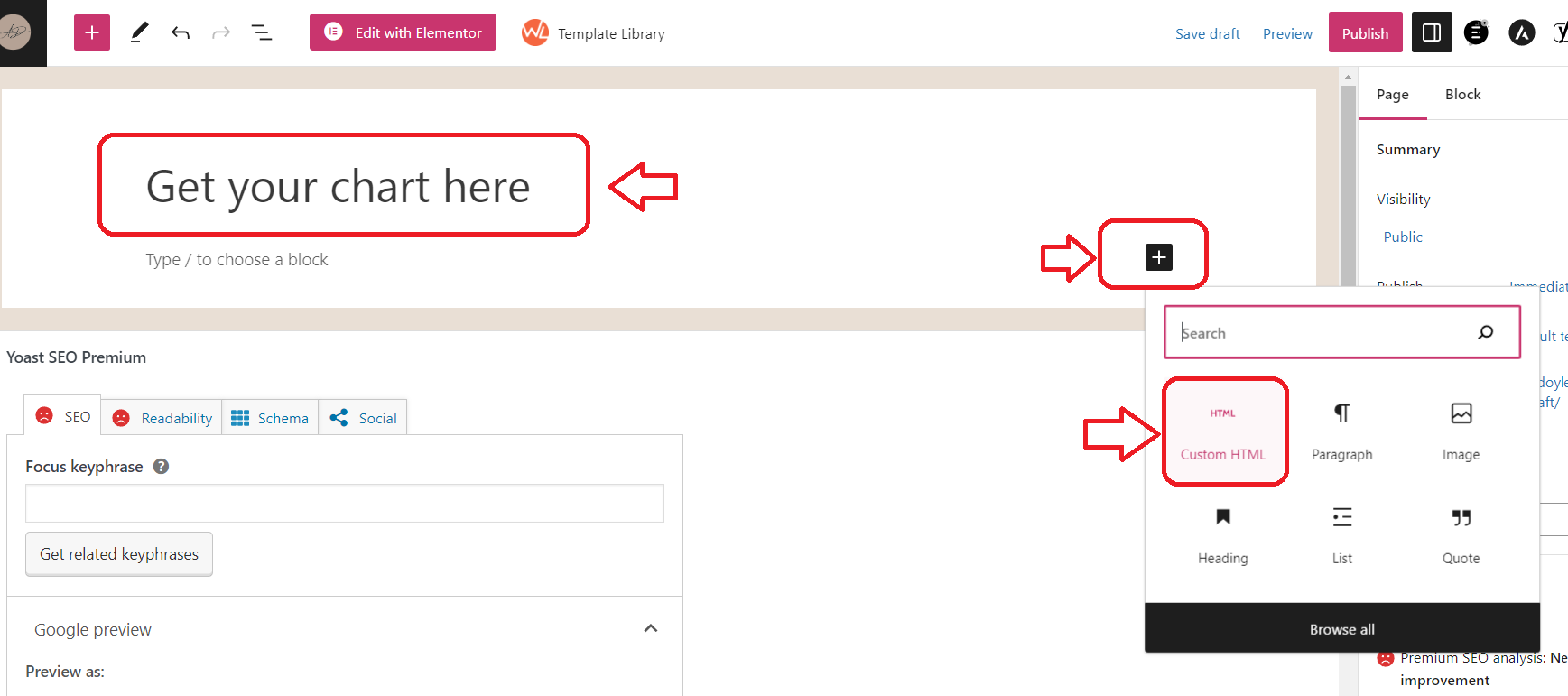
2. Edit the title of the website as you like and then press ‘+’ sign to open block options. Select ‘Custom HTML’.
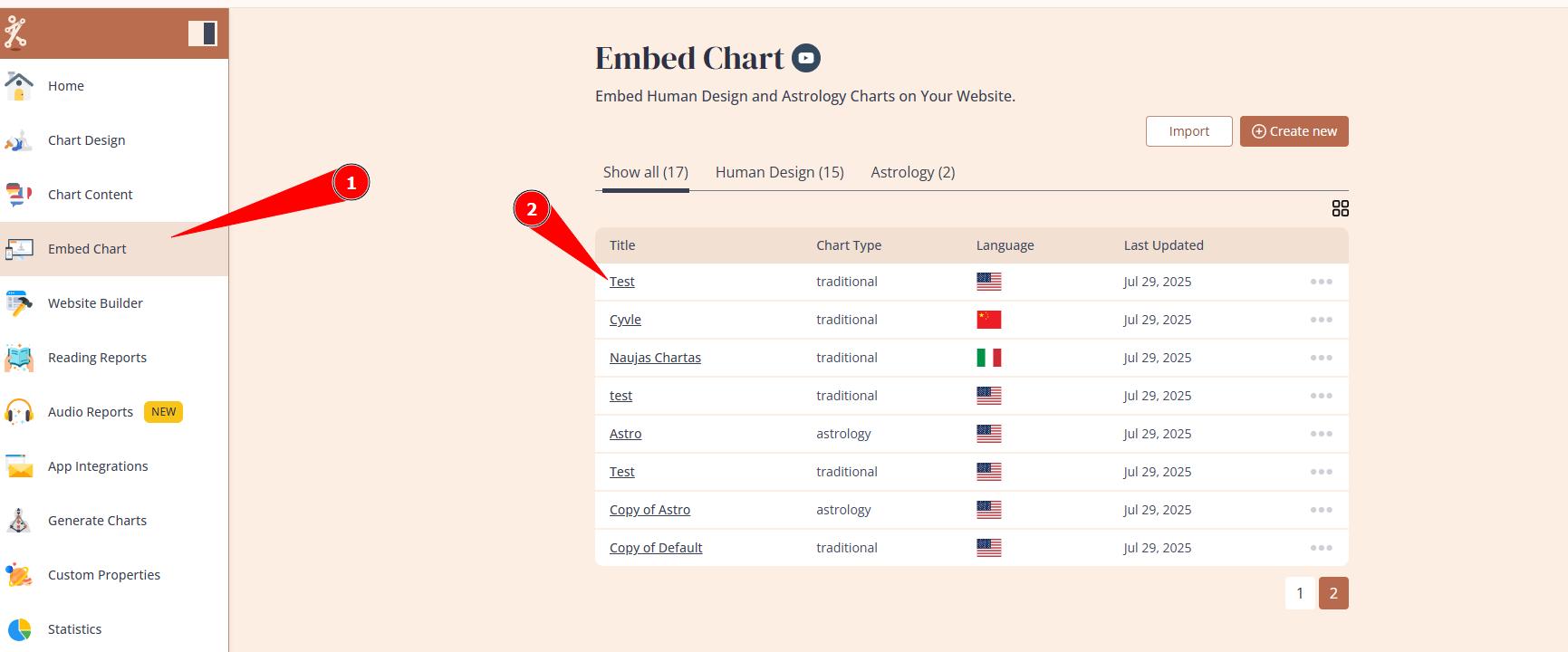
3. On the new tab open Bodygraph.com and login to your account. Then select ‘Embed Chart’ from the menu and click on the embed code that you want to use on your website. If you just signed up, there will be only Default embed code available.

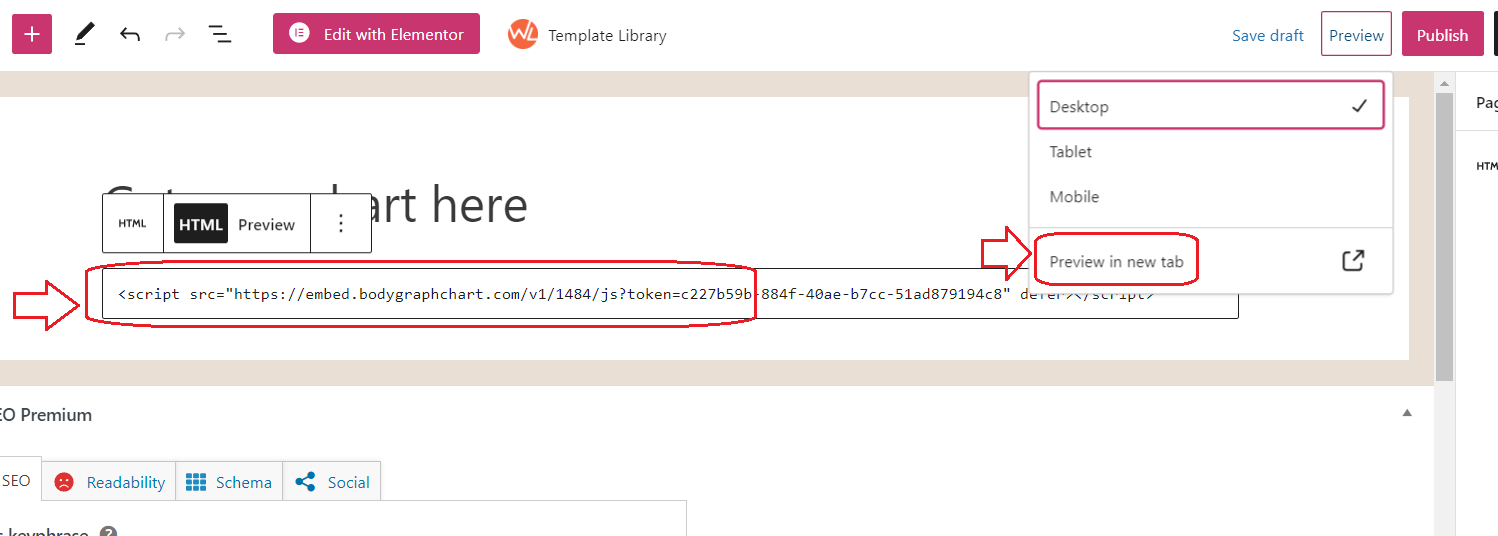
4. Copy the embed code and head back to the previous tab where you left WordPress.com HTML field open. Paste embed code to the HTML field and test it by selecting ‘Preview in the new tab’.
5. Submit the birth details to check if it generates the chart. All done!

Frequently asked questions:
– Can I have multiple integrations at my website?
Yes. You can create multiple embed codes serving different purpose (e.g. Human design, Astro, relationships, etc.) and embed into different landing pages at your website.
Related articles:
Can I embed chart into multiple websites?
Still have questions, is above guide outdated? Please message us on Live Chat or send an email to support@bodygraph.com.