
To upload and use your own fonts for the report, proceed as follows:
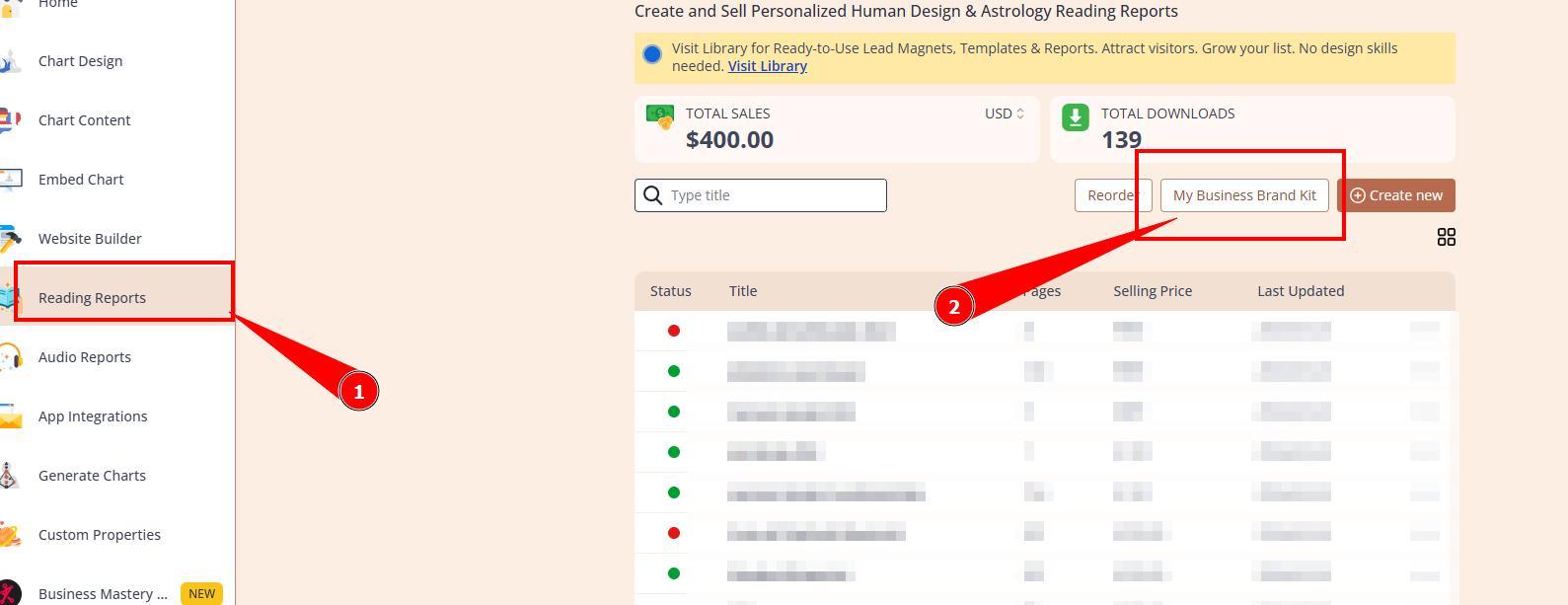
- open your brand kit
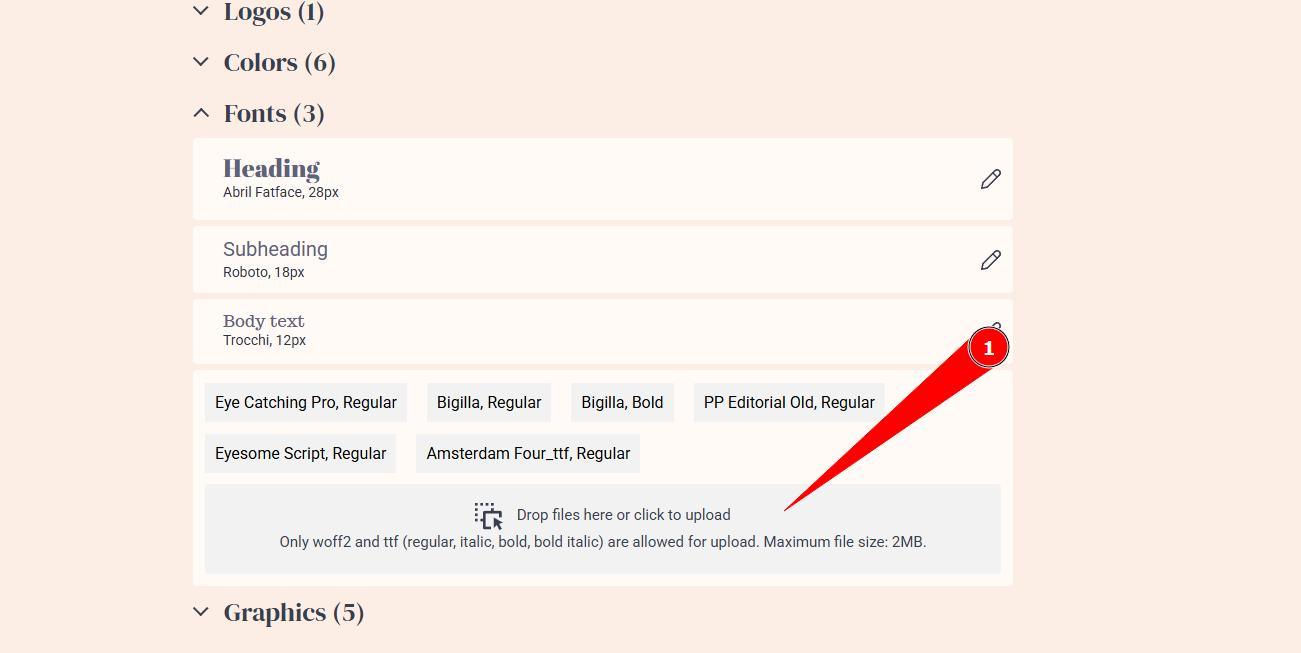
- click on Fonts
- click on the gray box or add fonts by drag&drop
Your fonts are now ready for selection in the Brand Kit or in the font list in the report.
Supported font formats:
- .woff2
- .ttf
IMPORTANT: Only regular, italic, bold and bold italic types are supported. Any other types such as semi bold, light, etc. are not supported. Also, please ensure that you uploading original .ttf or woff2 files as converted files often gets broken and do not work.
Still have questions, is above guide outdated? Please message us on Live Chat or send an email to support@bodygraph.com.