
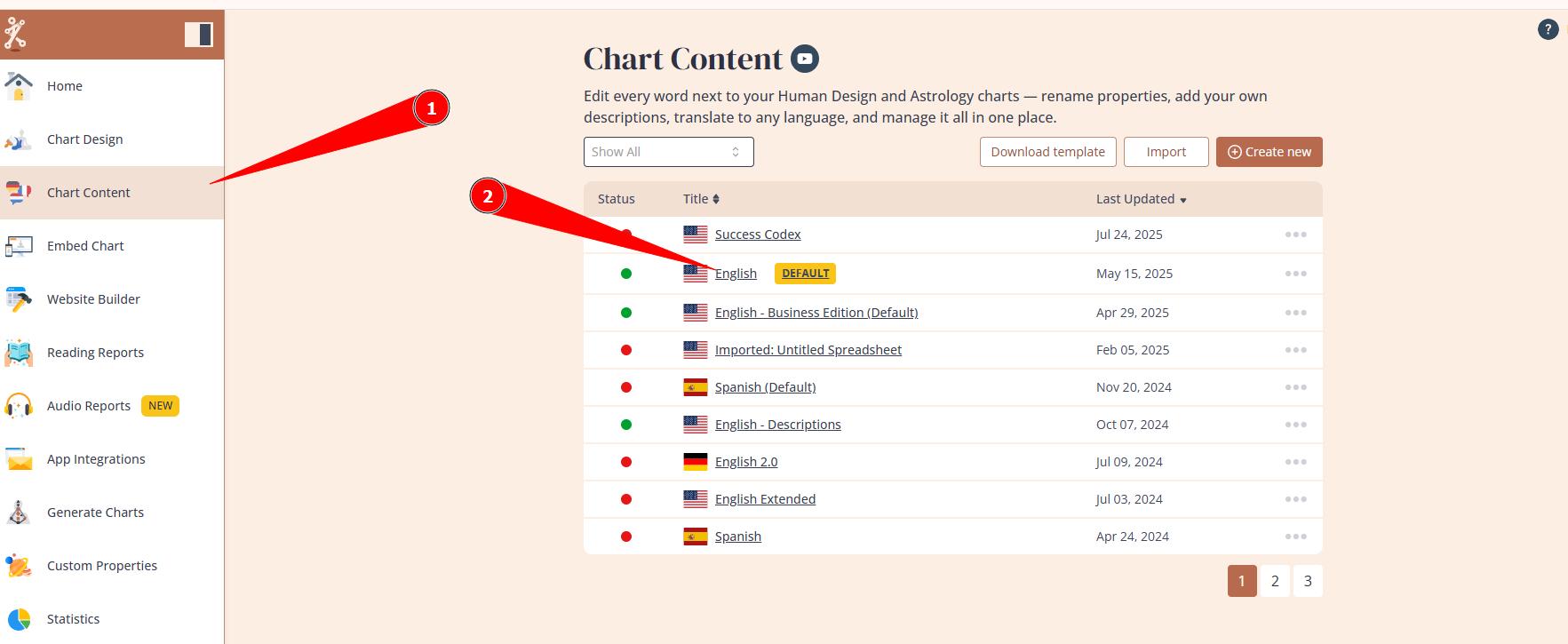
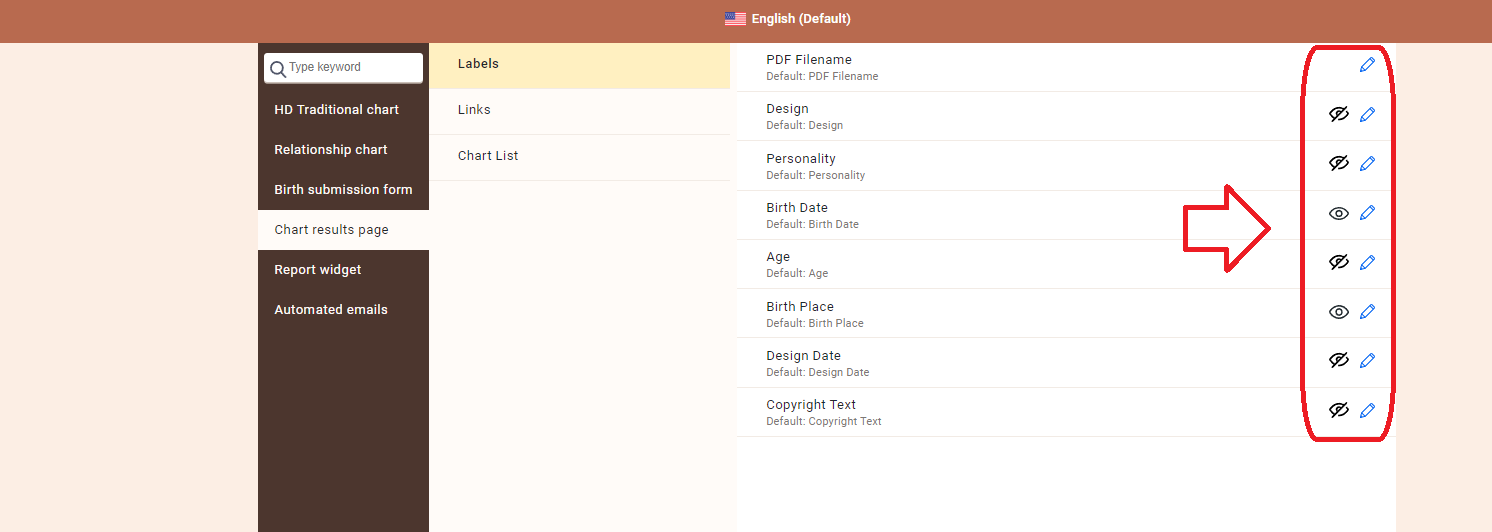
You have complete control over what is displayed for your customers on the chart result page. Therefore if some information does not show up at the chart result page, first it is important to go to Chart Content tool, select the language that is associated to your embed code or Website Builder integration (hover over green indicator to see which embed code is assigned to), and make adjustments (eye icon to hide/show and pencil icon to rename):
Related Articles
How to control which properties are displayed on the Chart Results page
How to enable Birth Date and Location at the result page?
Still have questions, is above guide outdated? Please message us on Live Chat or send an email to support@bodygraph.com.