
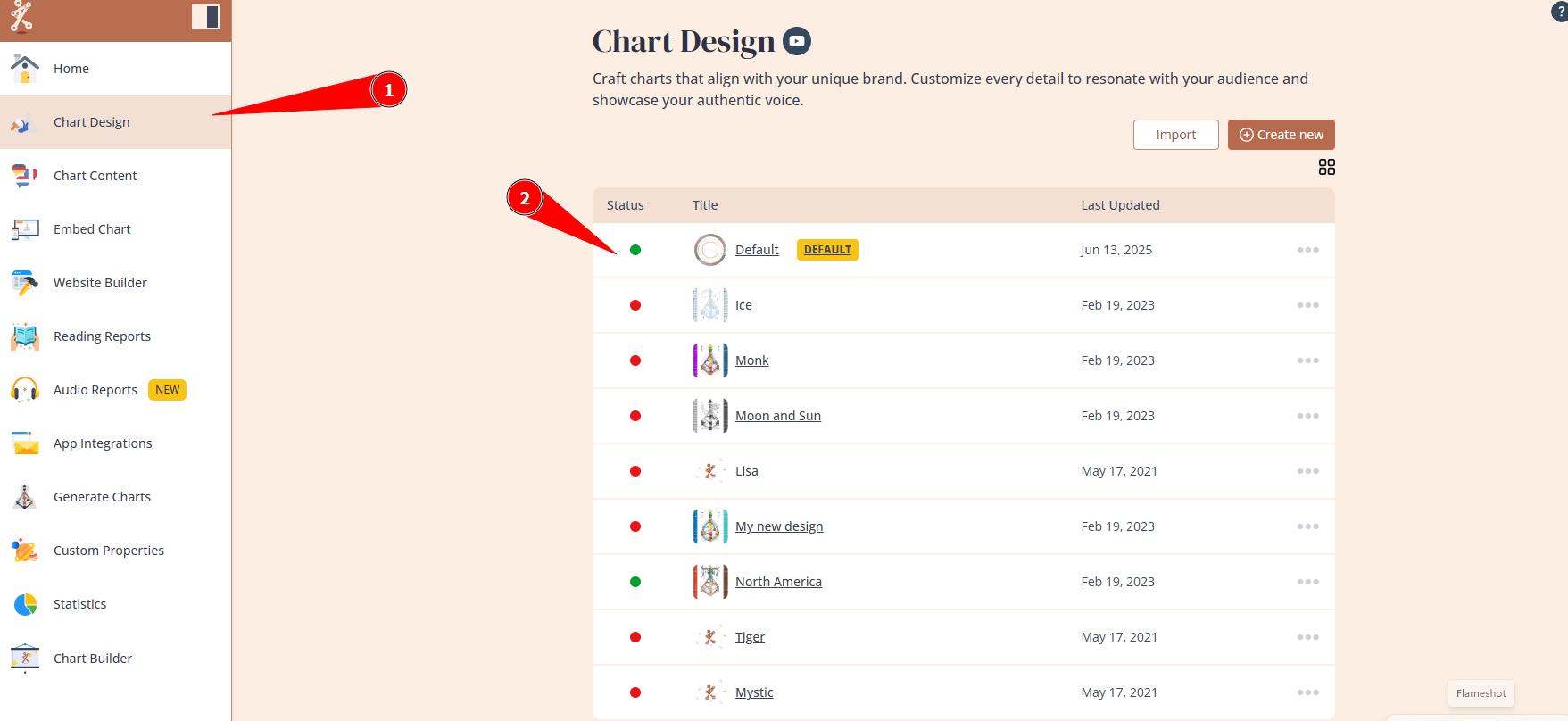
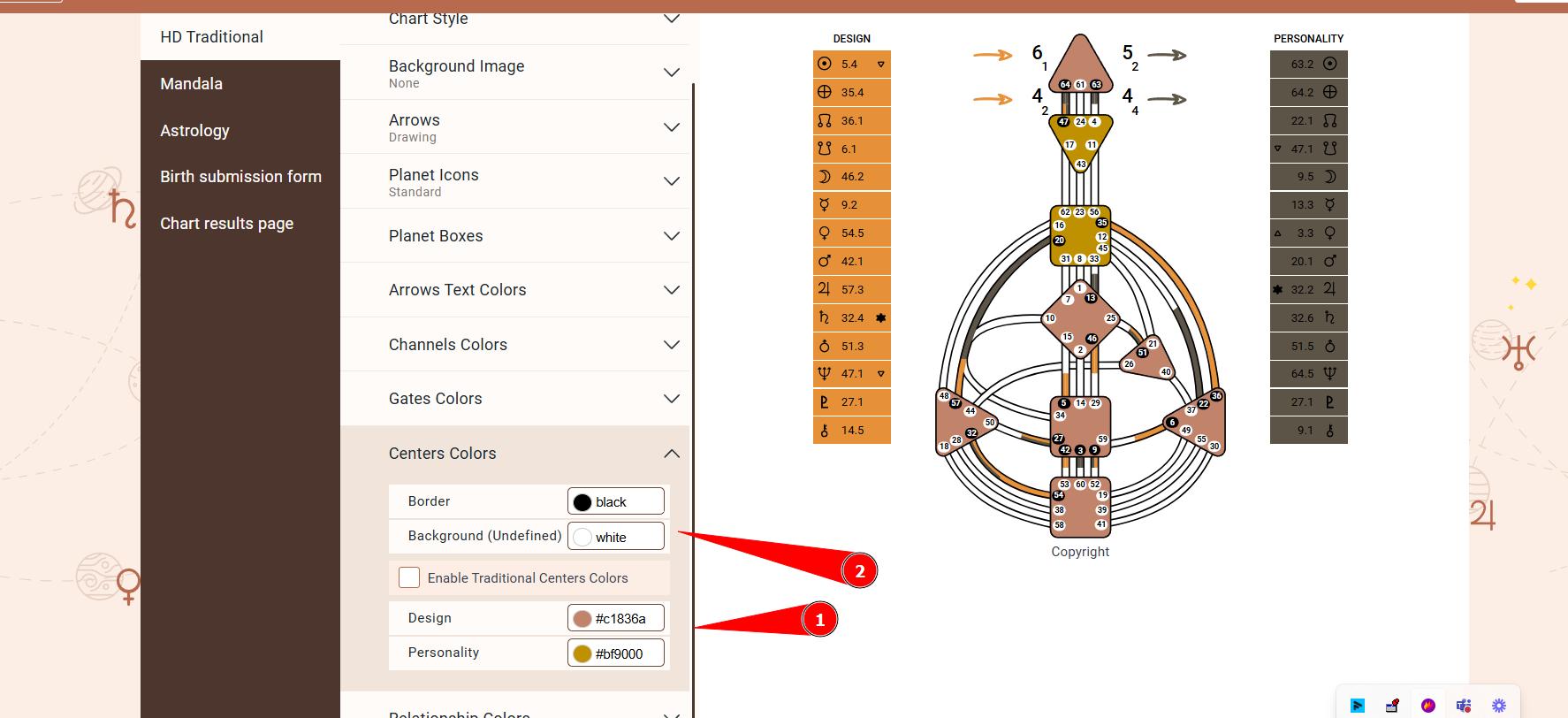
If the defined centers of your chart are incorrect while the rest of the chart appears to be correct, most likely it’s a design issue. It’s crucial that both conscious and unconscious defined centers are set to contain color, as undefined ones are displayed as white. Consequently, if one of the defined types is also set as white, they will not stand out from the undefined centres. Therefore, to fix this issue please go to Chart Design tool, select the design that is used at your website and make sure that both Personality and Design centres contain other colors than white (very light colors that are close to white might not work too):
Related articles:
Still have questions, is above guide outdated? Please message us on Live Chat or send an email to support@bodygraph.com.