
If you wish to add description to the Audio report widget, please follow the steps below:
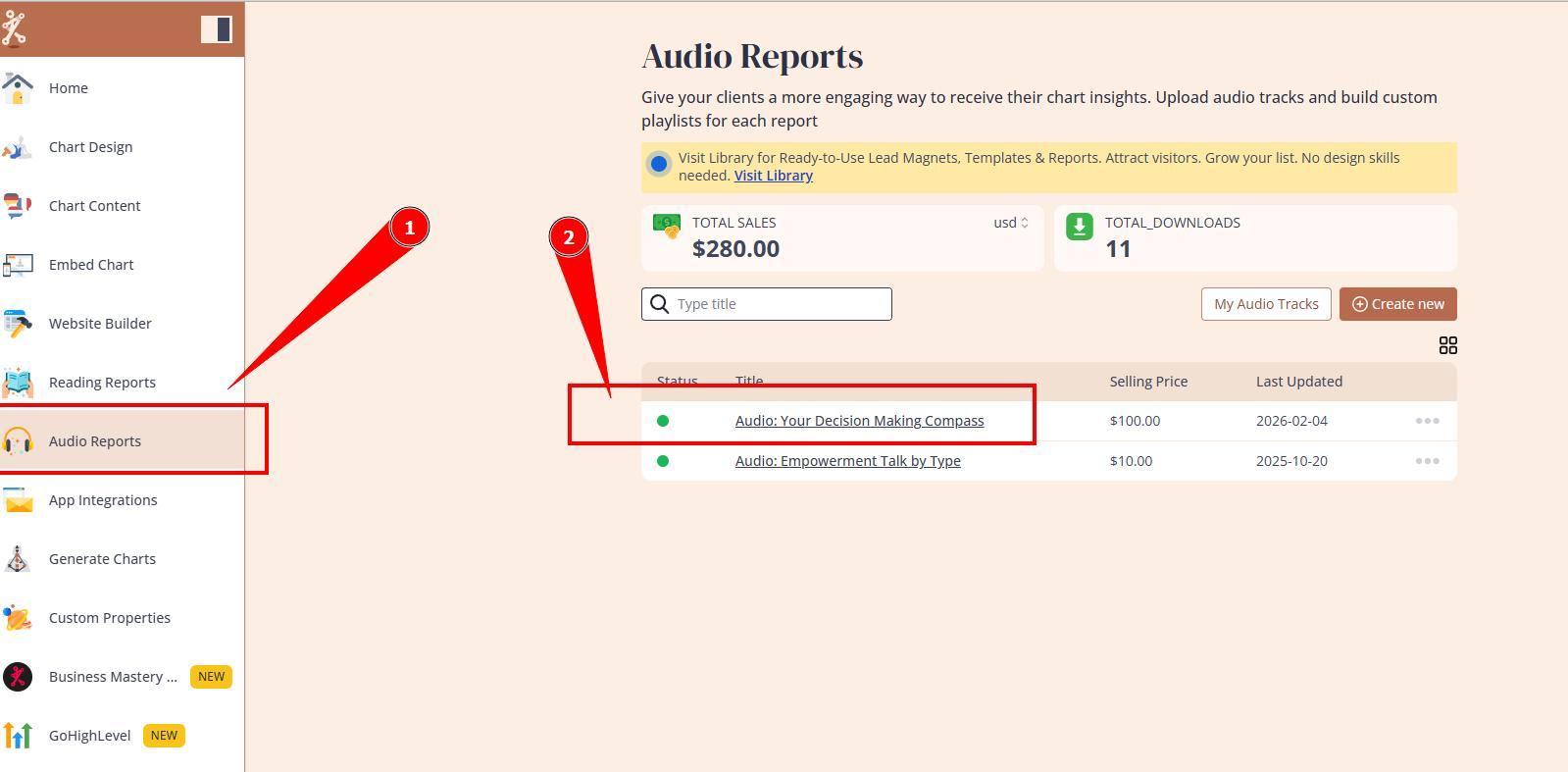
1. Navigate to the Audio Reports and select and open the audio report that you would like to add description to.
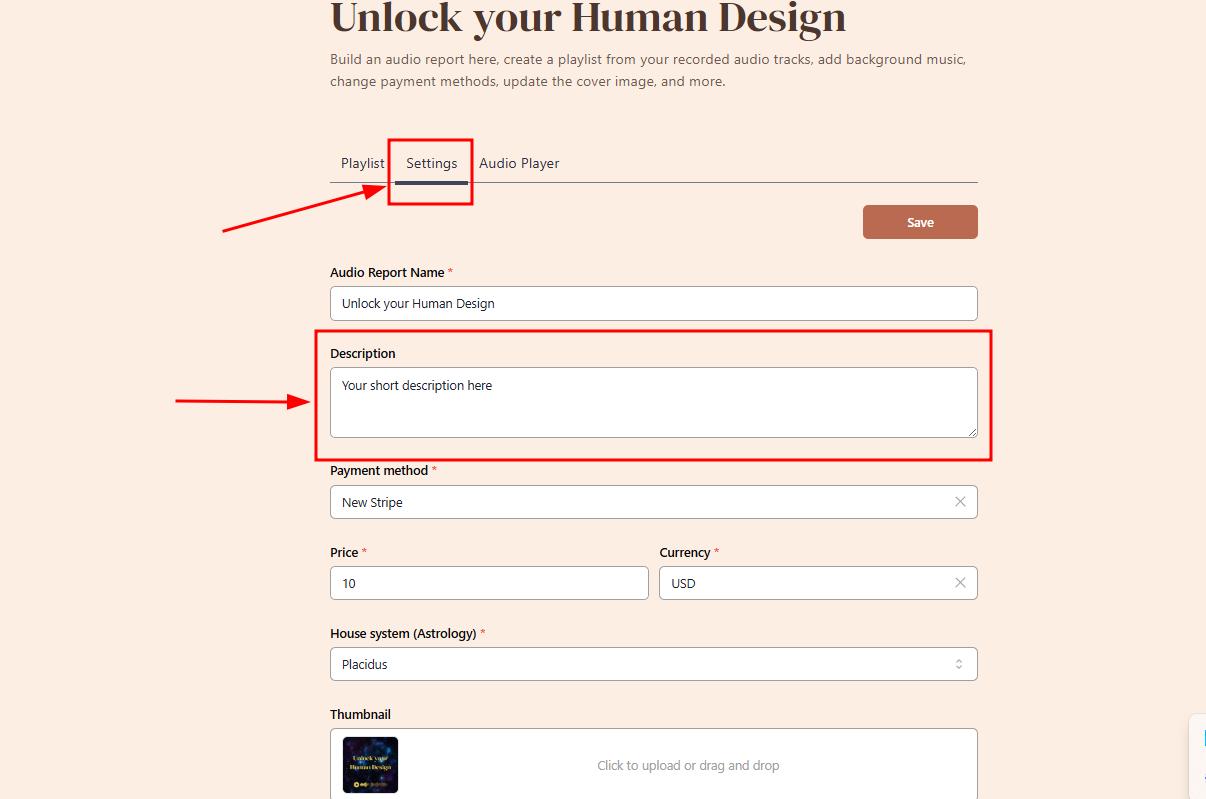
2. Navigate to Settings Tab and type in your desired description.
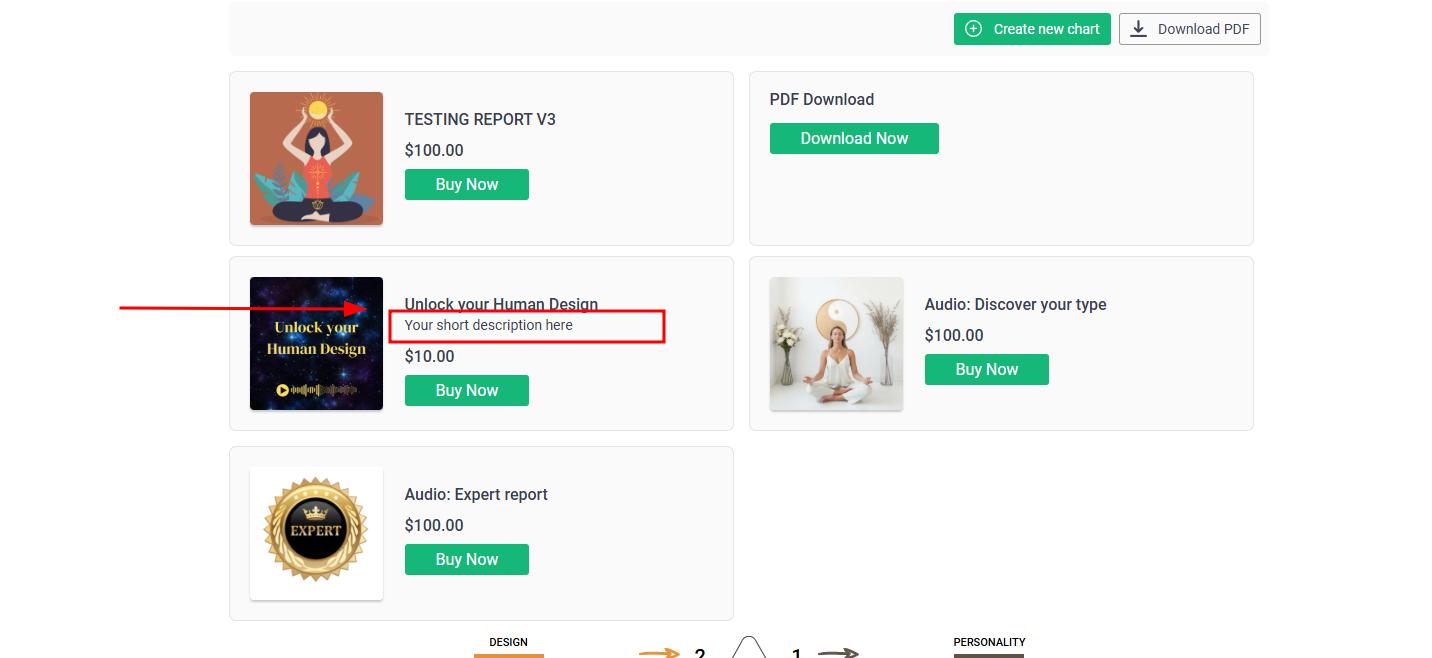
3. Test the description by running the chart at your website.
Video guide below (without sound):
Still have questions? Please message us on Live Chat or send an email to support@bodygraph.com