
If you wish to link and sell audio reading reports at Website builder, please follow the steps below:
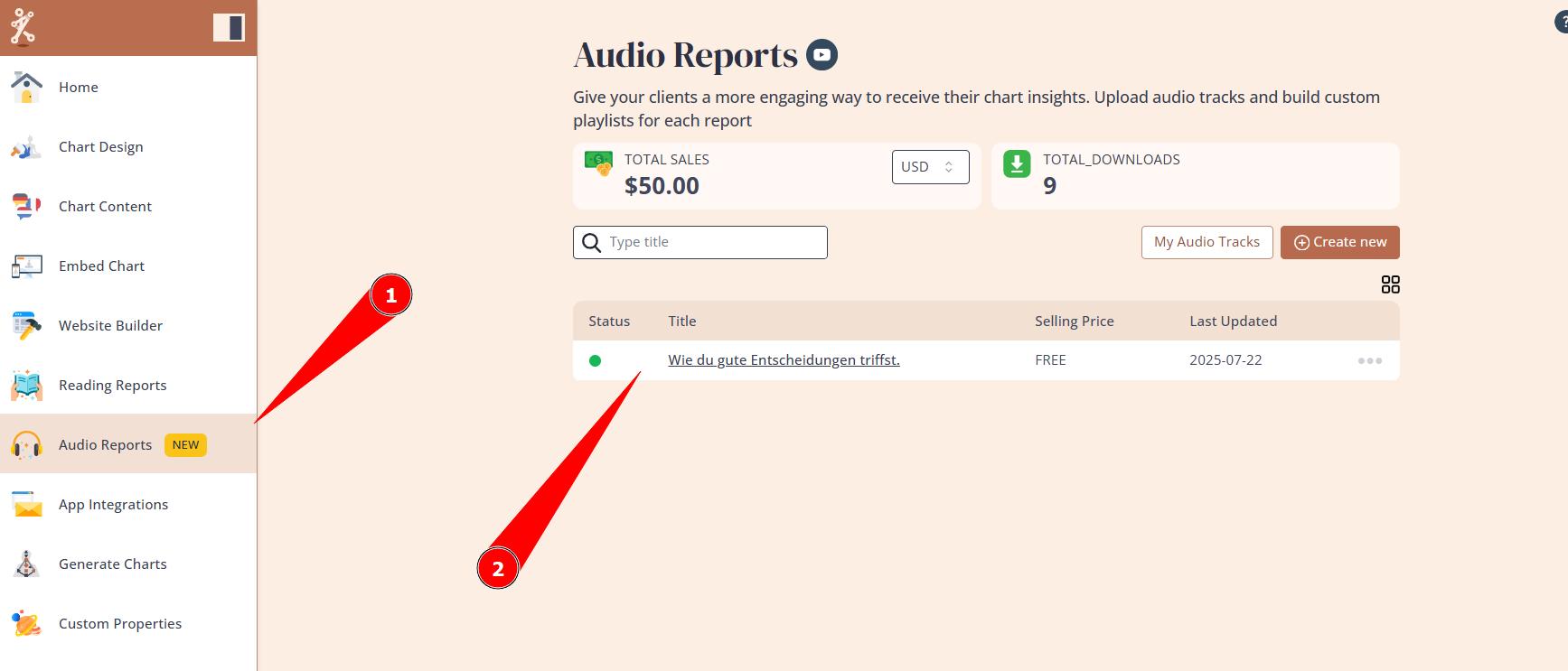
1.Create Audio report or use ready-made template at Audio Reports tool.
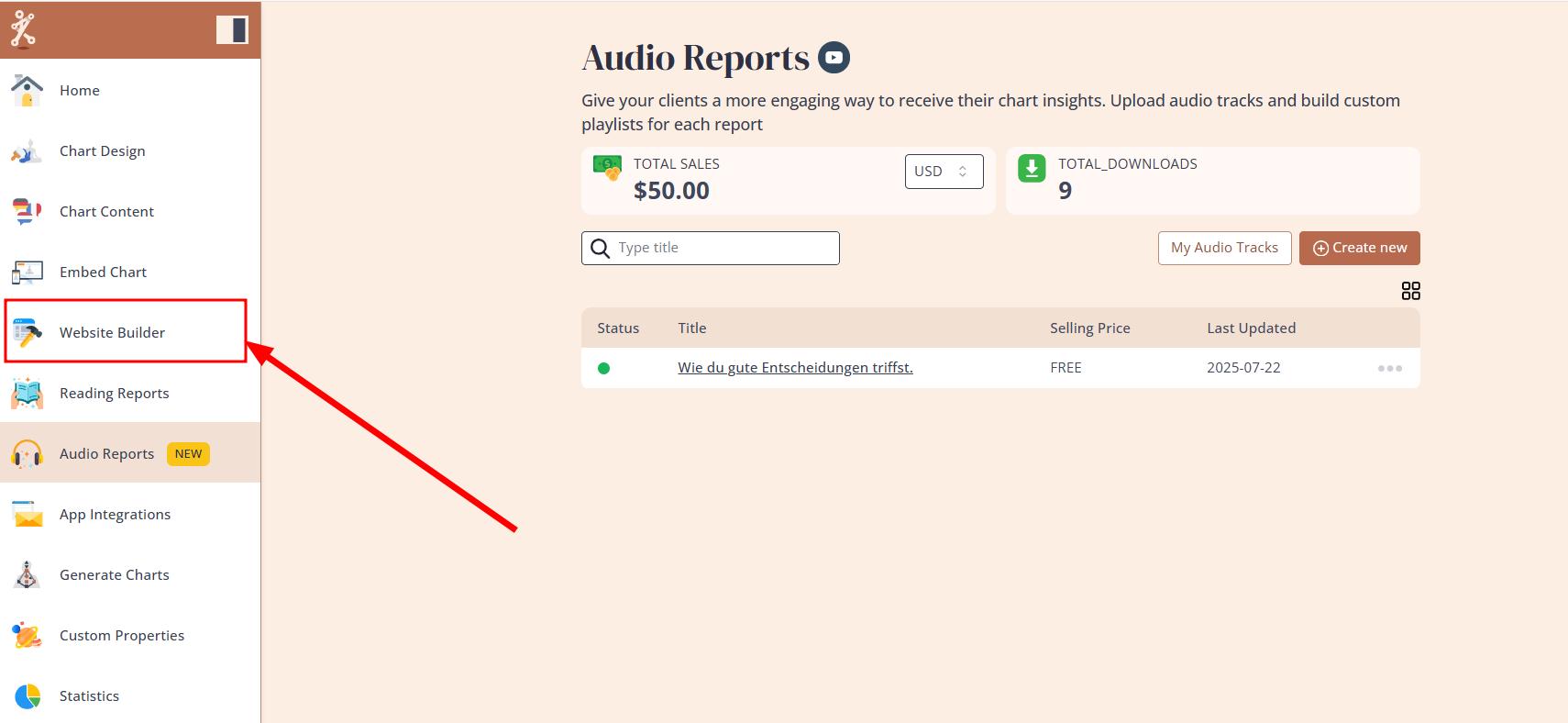
2. Navigate to Website Builder.
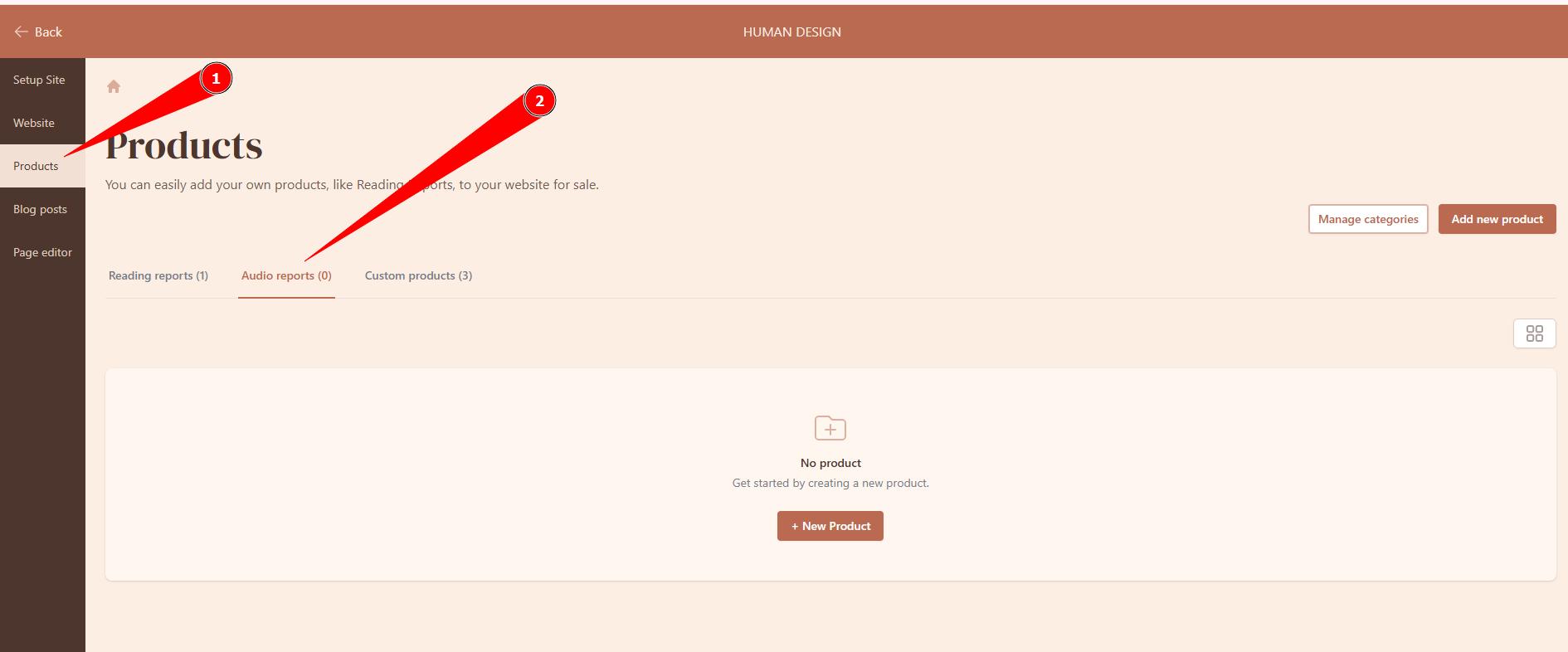
3. Select Product section and Audio reports tab.
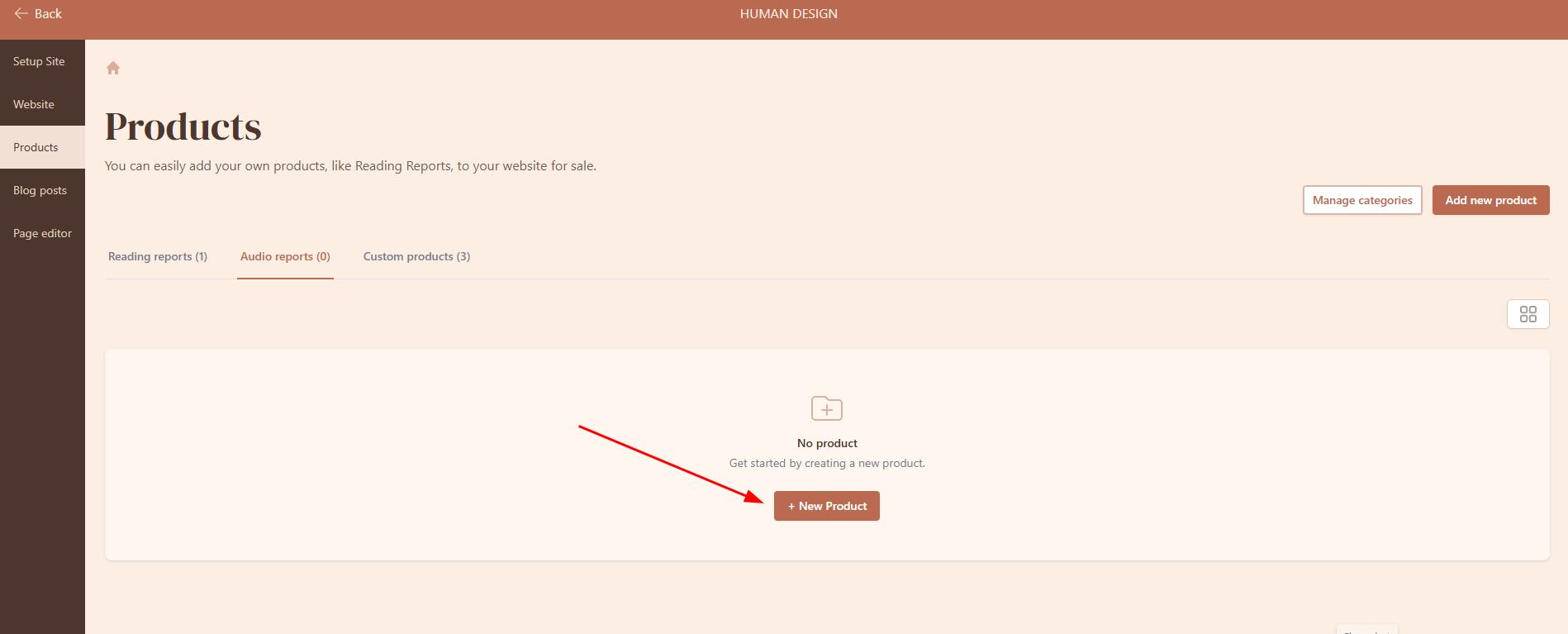
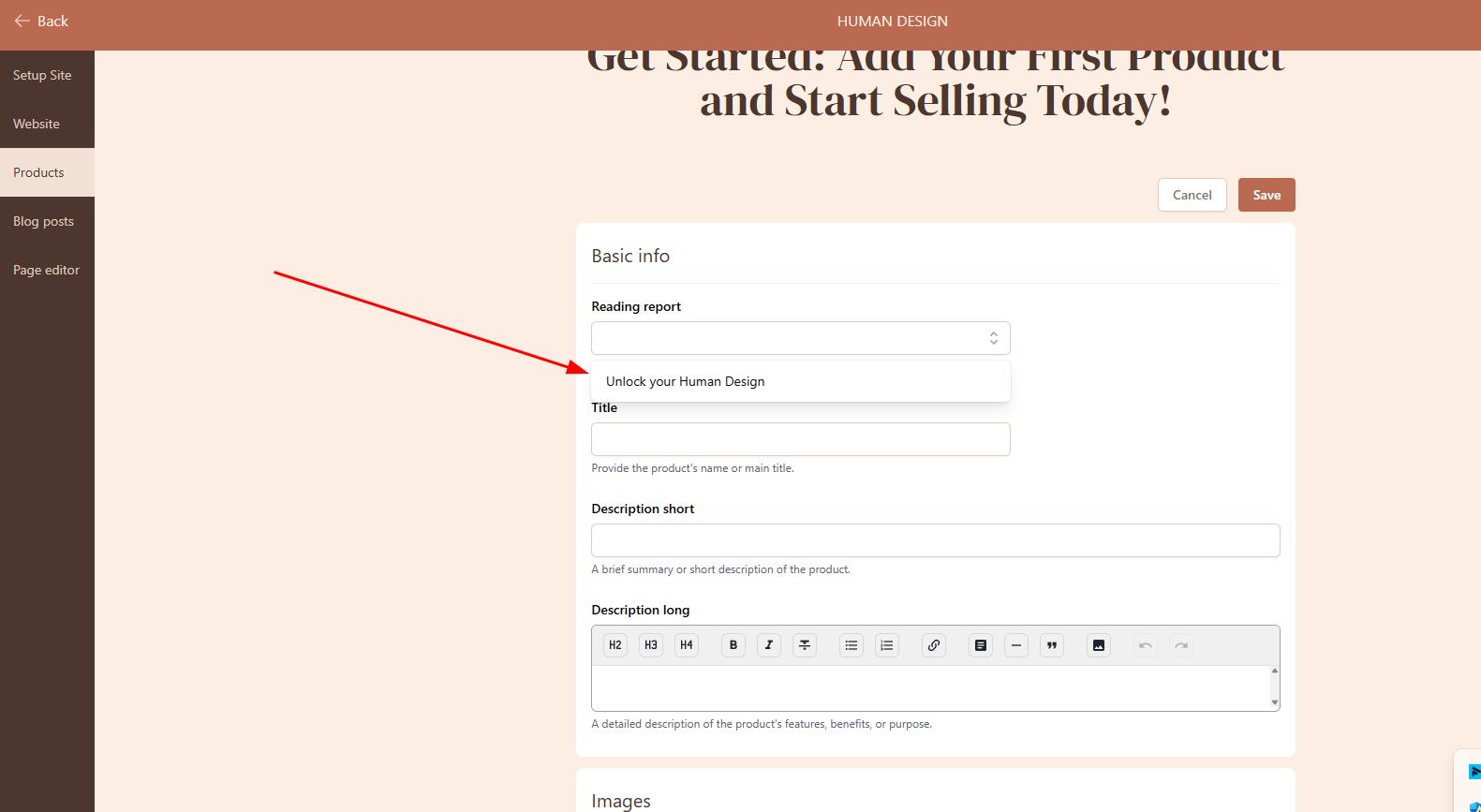
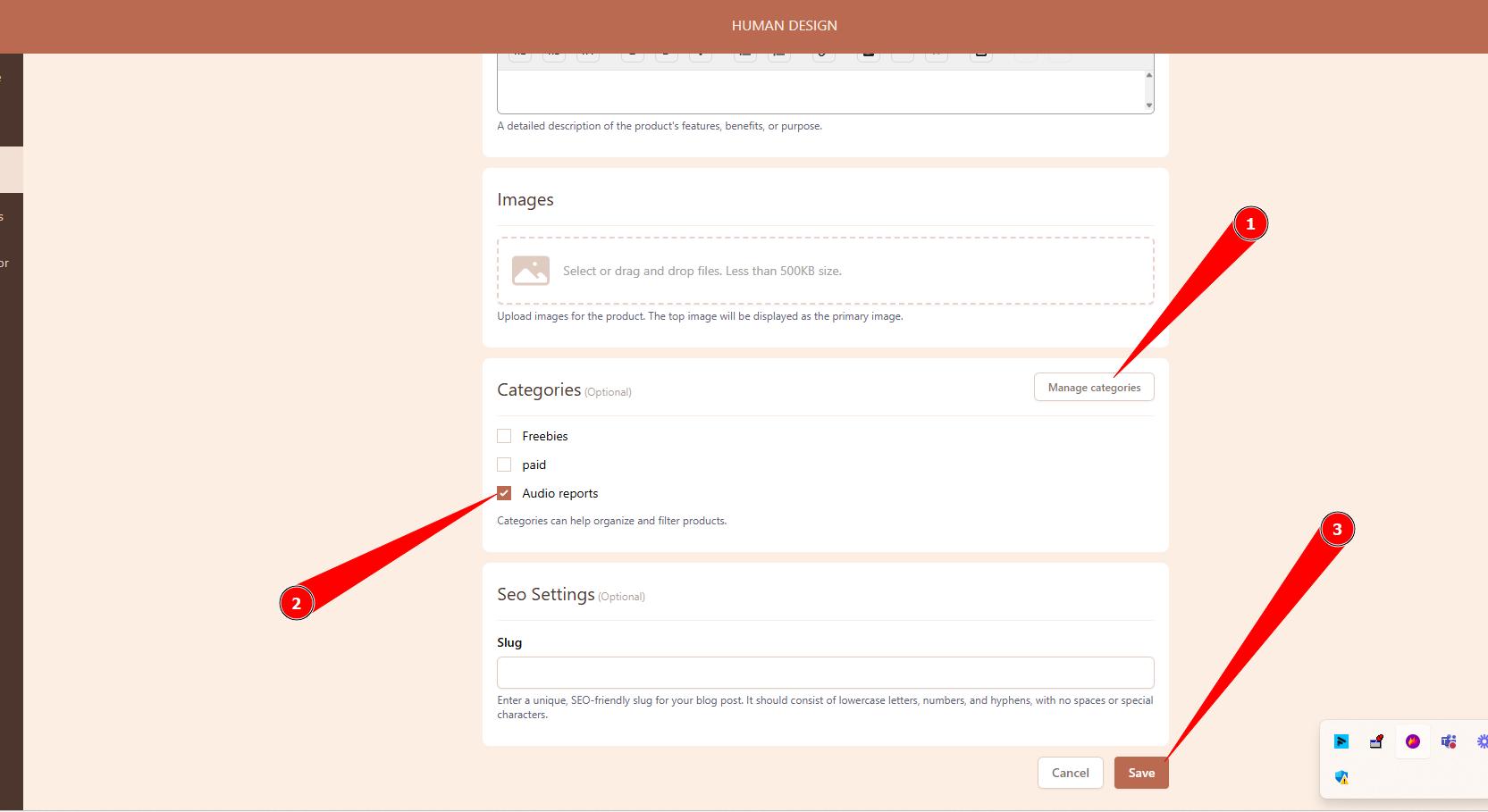
4. Click +New Product, link your audio report at the drop down. Also add descriptions, images, create and assign Category and click Save.
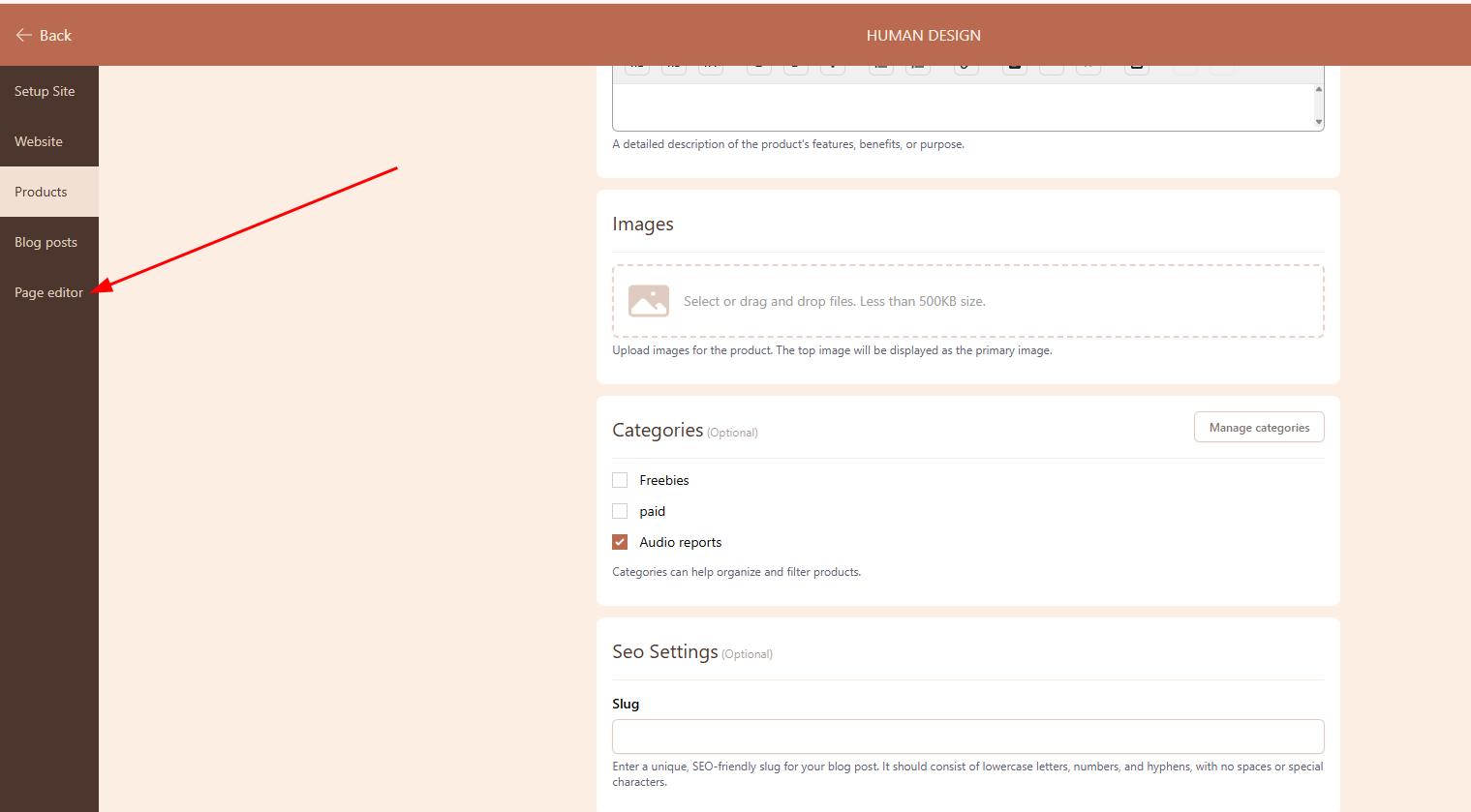
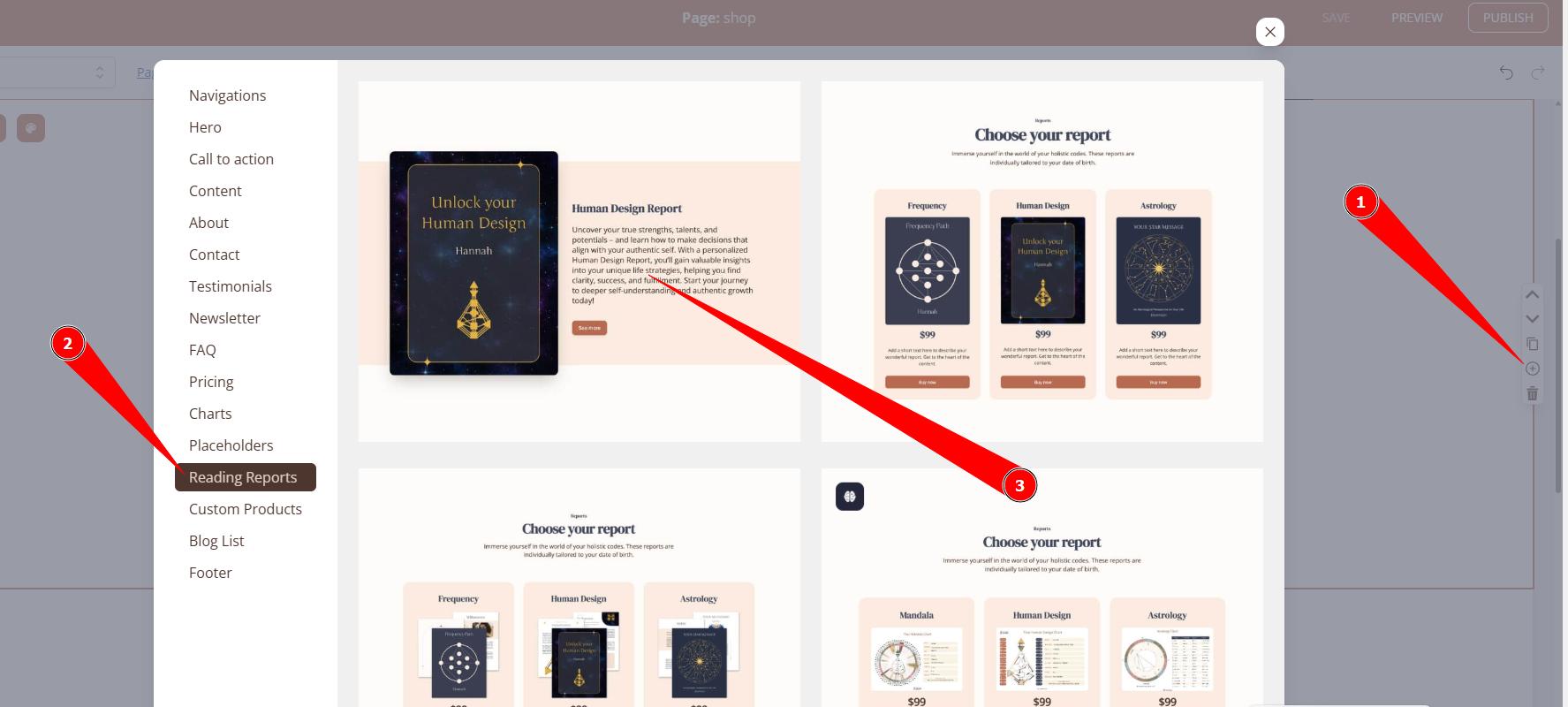
5. Go to your website editor, to the page where you would like to add Audio reports.
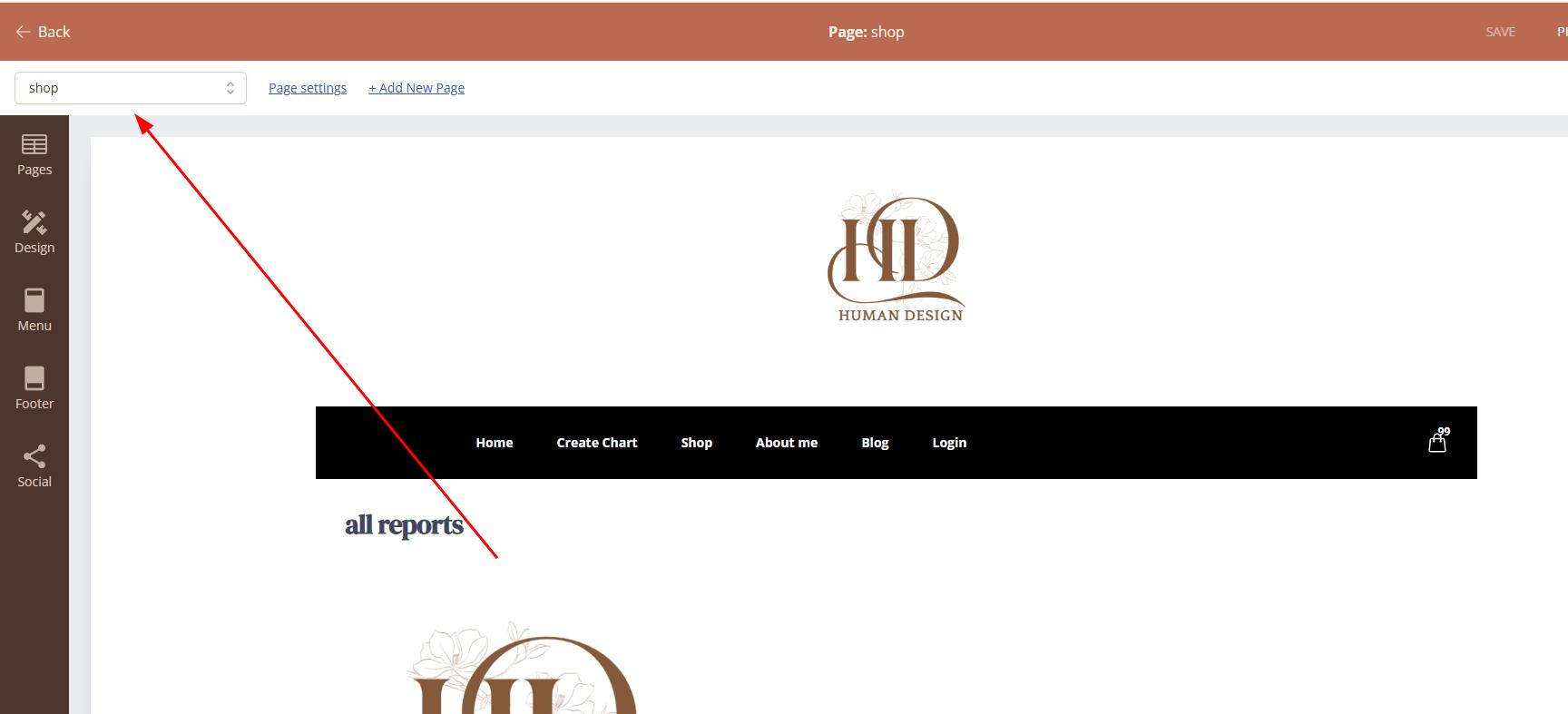
5. Add one of the product listing sections.
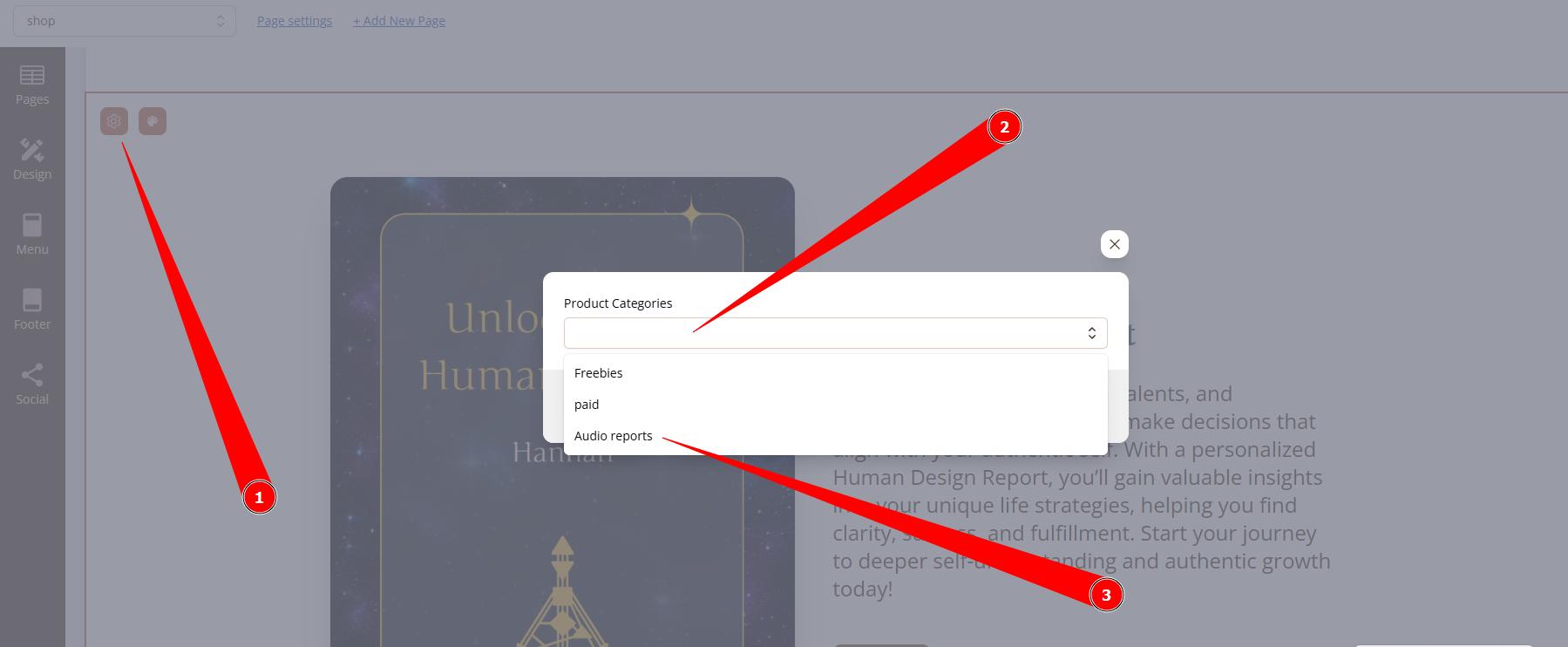
6. Connect the section to the Audio report product category.
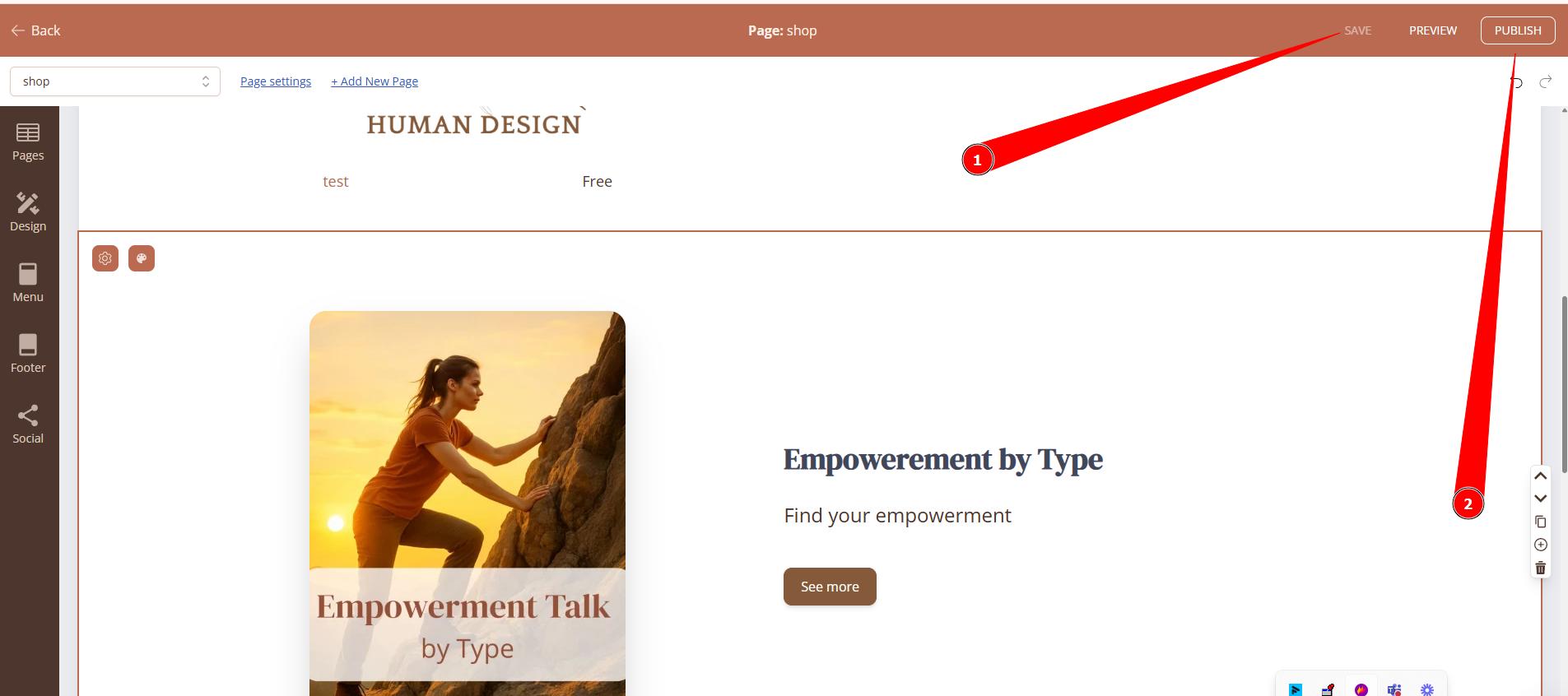
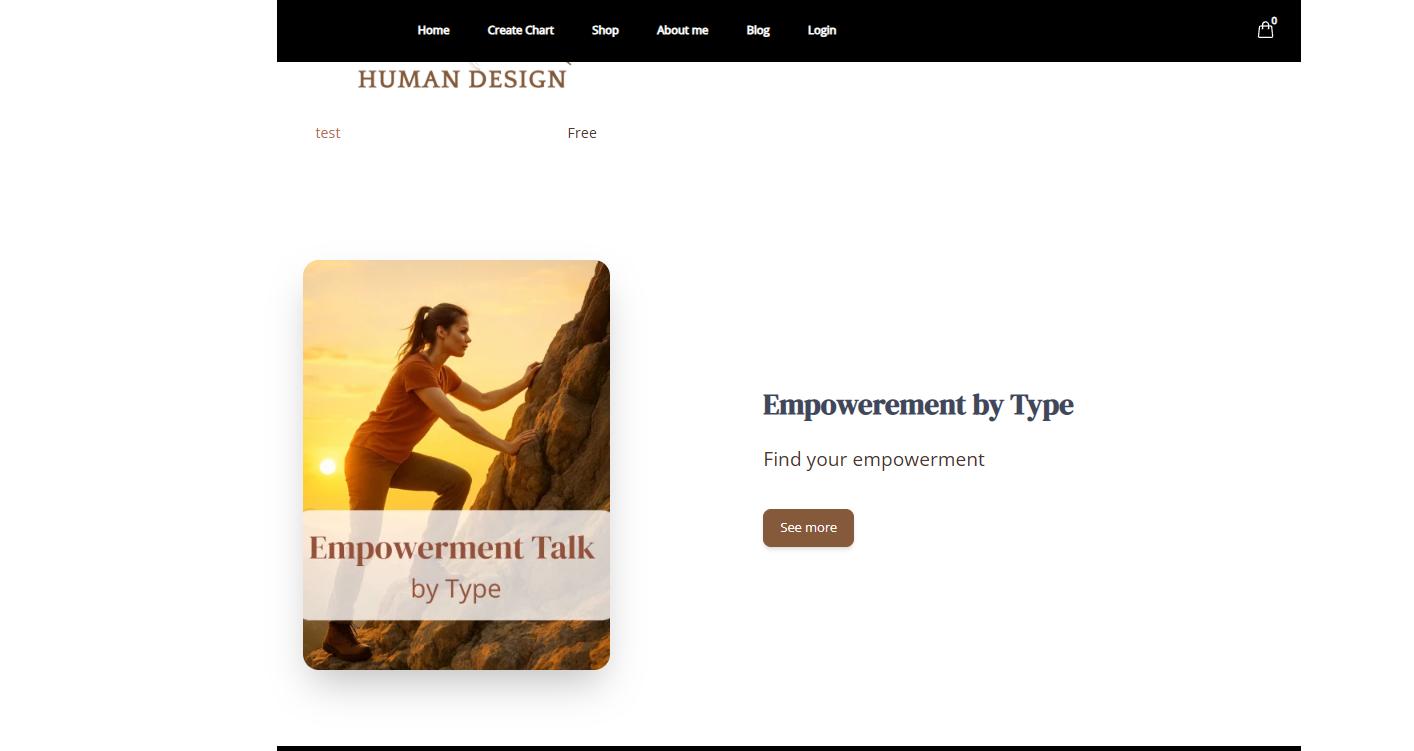
7.Click Save and Publish. Test the report at live website.
Related articles:
Still have questions, is above guide outdated? Please message us on Live Chat or send an email to support@bodygraph.com.