
To enable Website Builder cookie banner and adjust it’s settings follow the steps below:
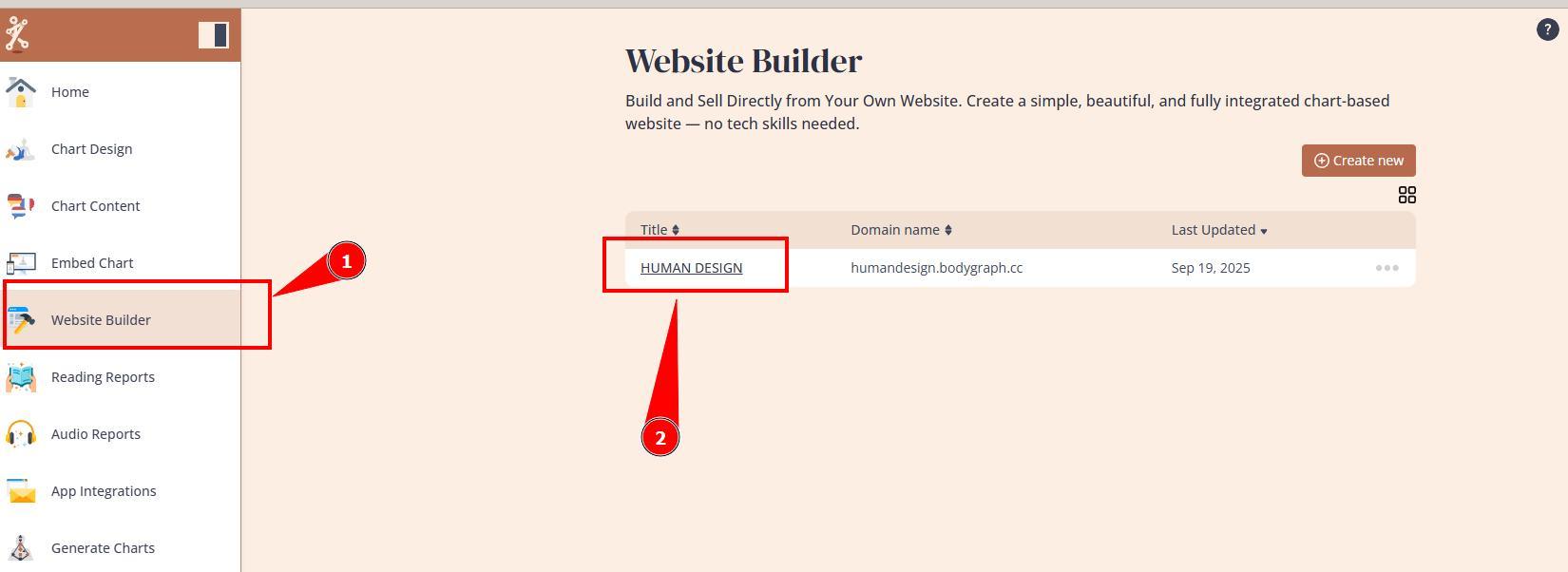
1. Open Website Builder’s dashboard.
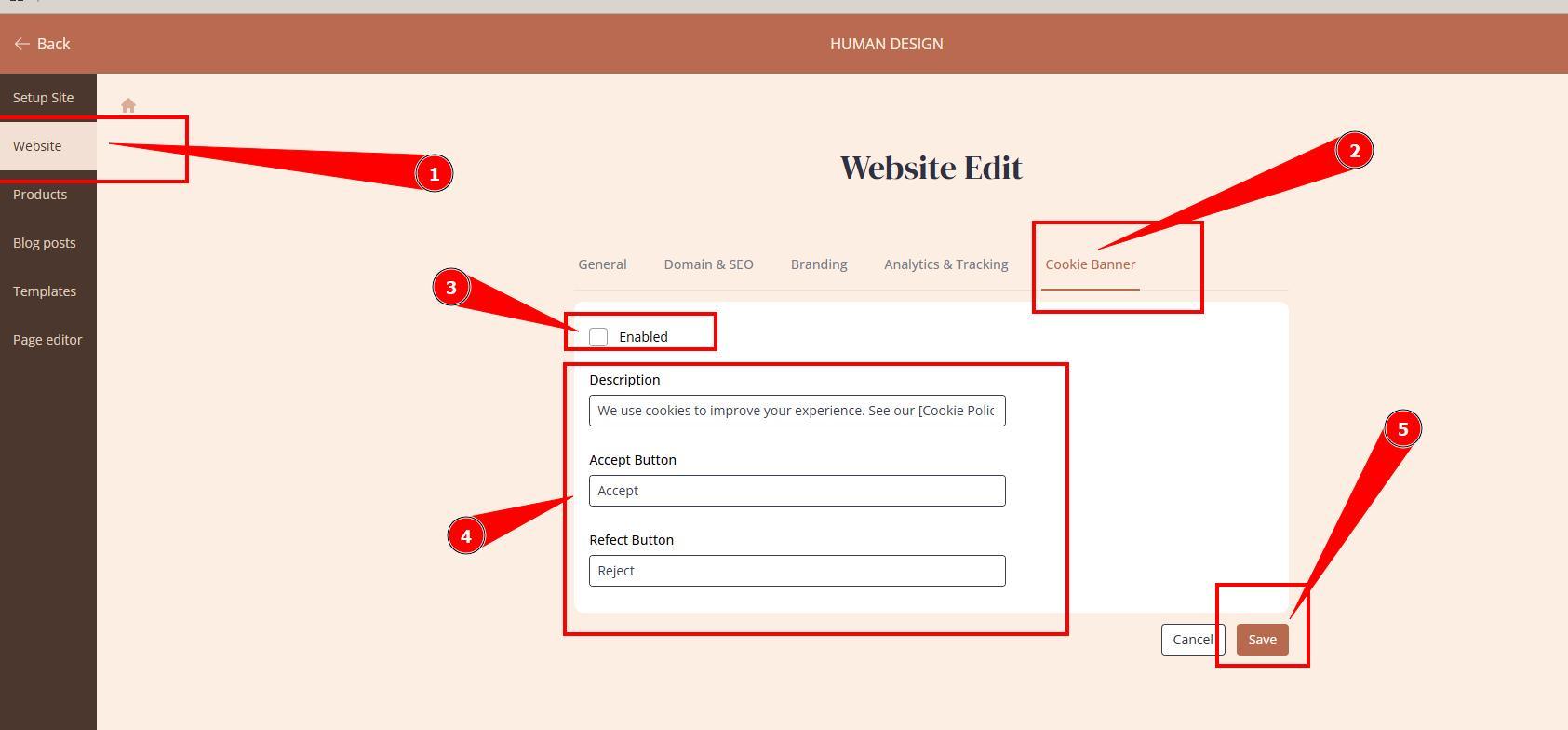
2. Navigate to website settings, Cookie banner tab, enable banner, adjust the text and click save.
Still have questions, is above guide outdated? Please message us on Live Chat or send an email to support@bodygraph.com.