
To change your website name, please follow the steps below:
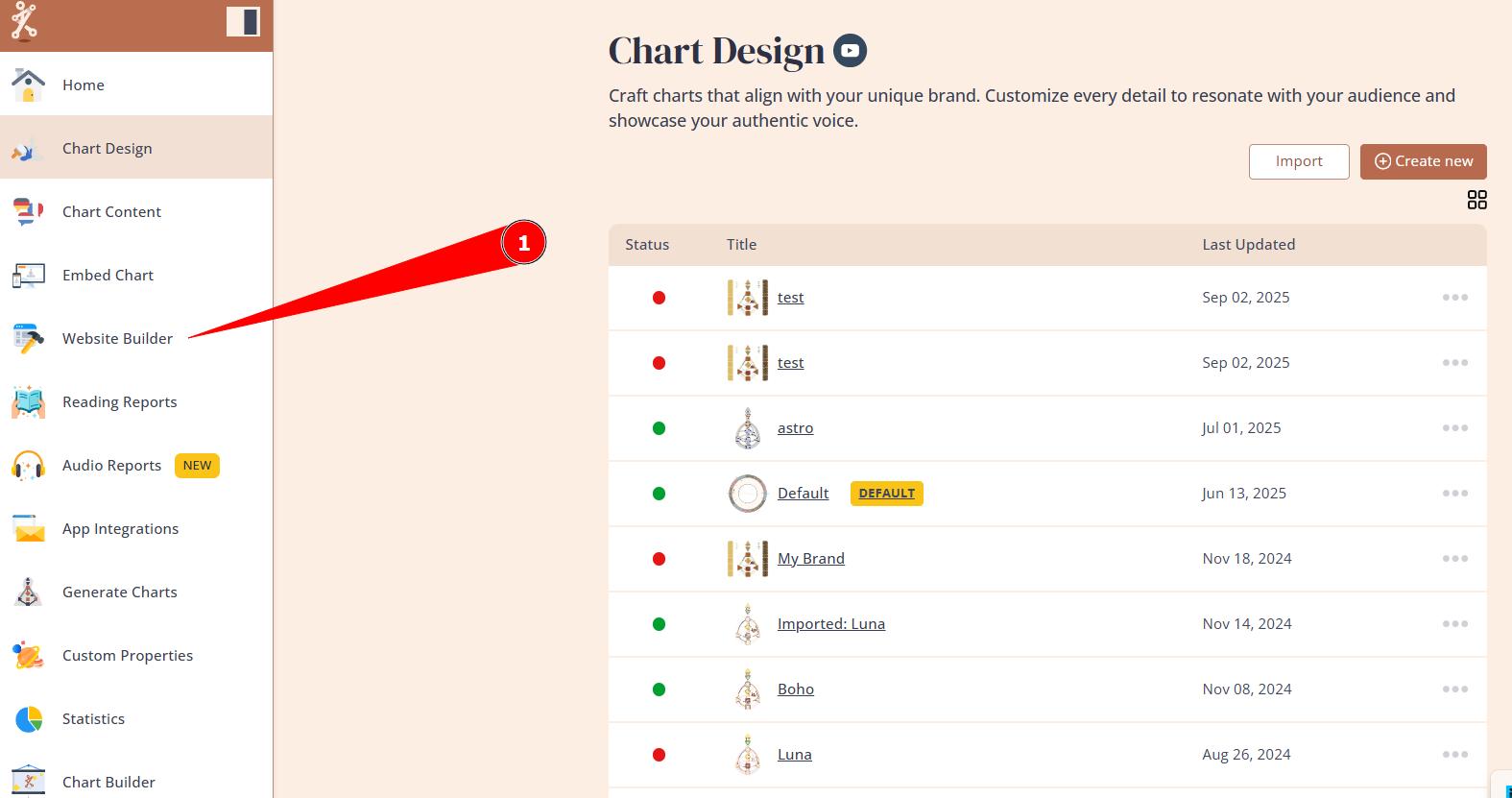
1.Navigate to the Website Builder.
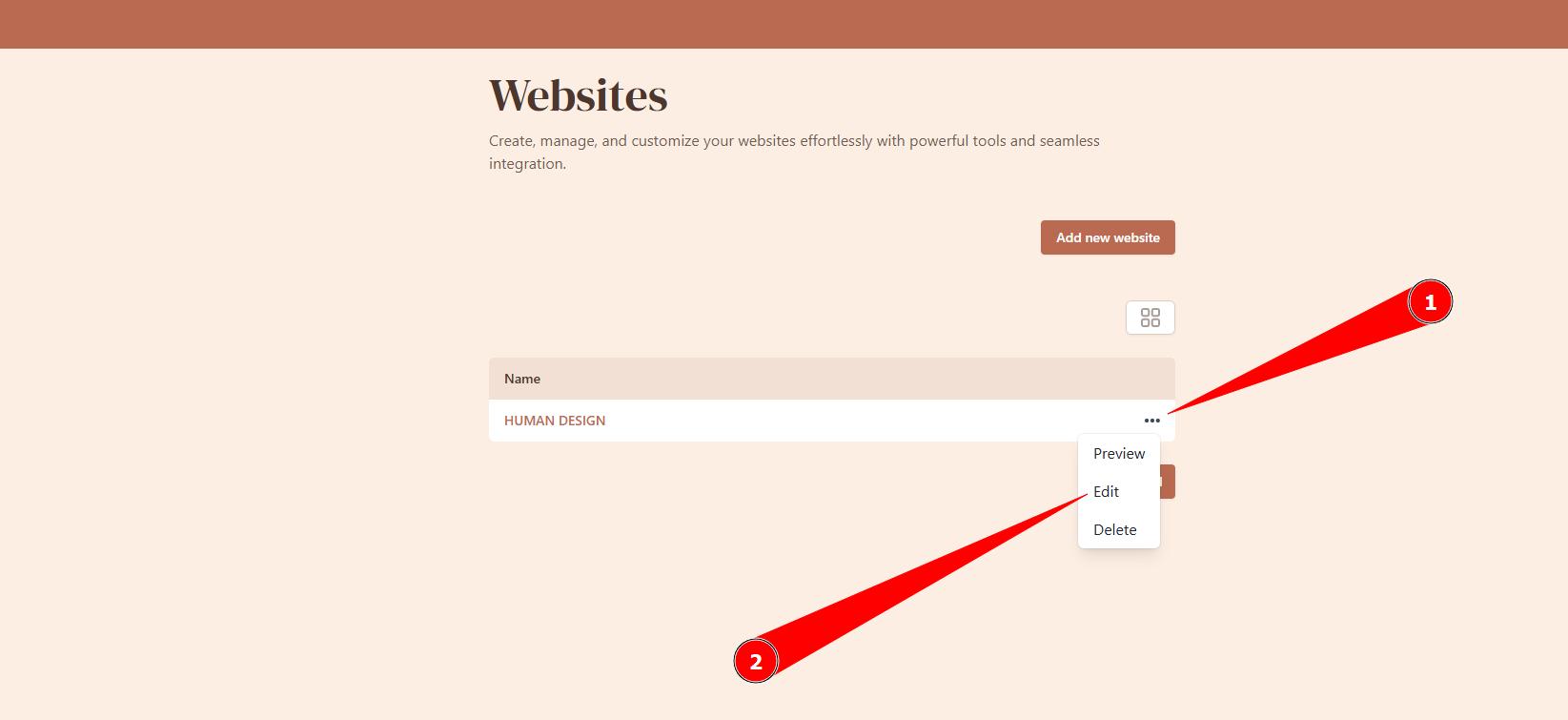
2. Hover over 3 little dots next to the website title and select Edit option.
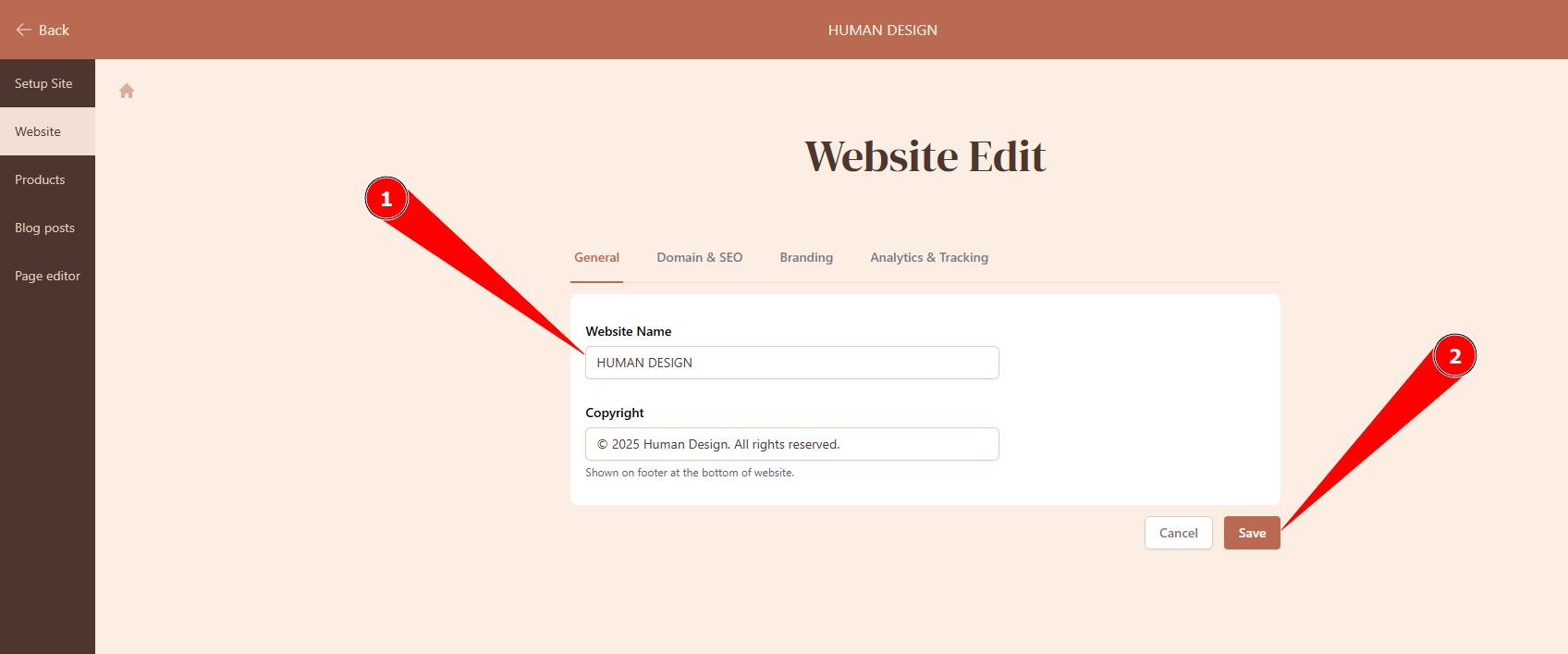
3. Adjust website name and click save.
Related articles:
Still have questions, is above guide outdated? Please message us on Live Chat or send an email to support@bodygraph.com.