
To edit the Report Order Form at the Website Builder
Navigate to the Website Builder Dashboard
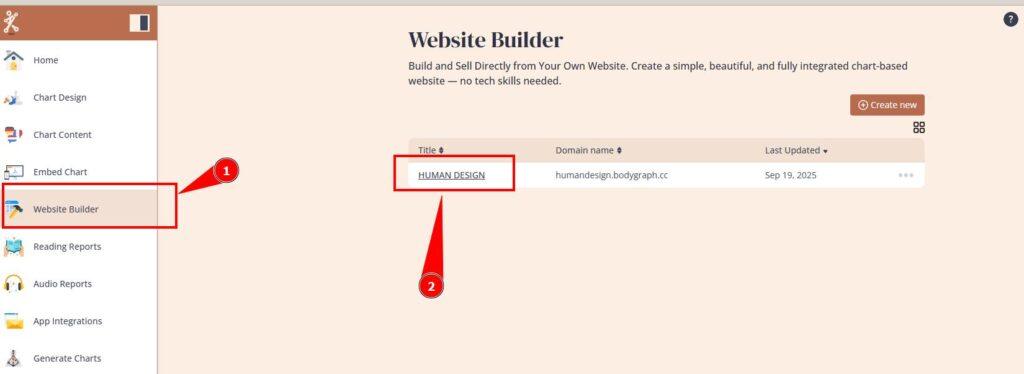
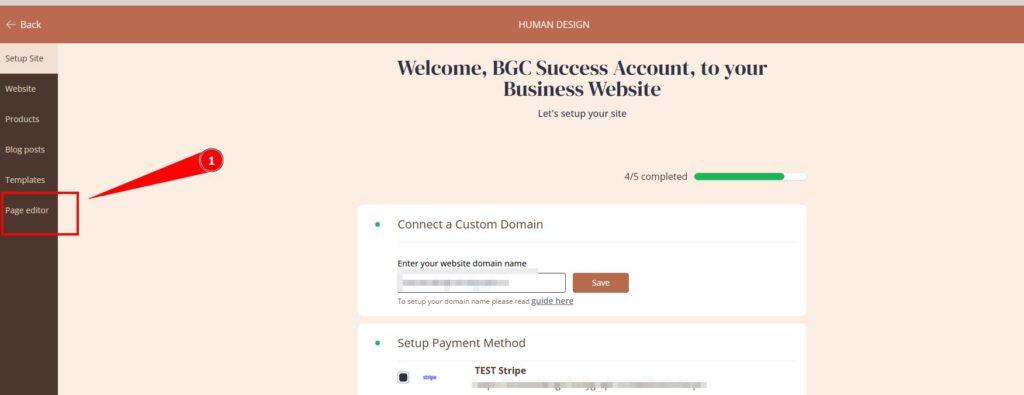
Open the page editor
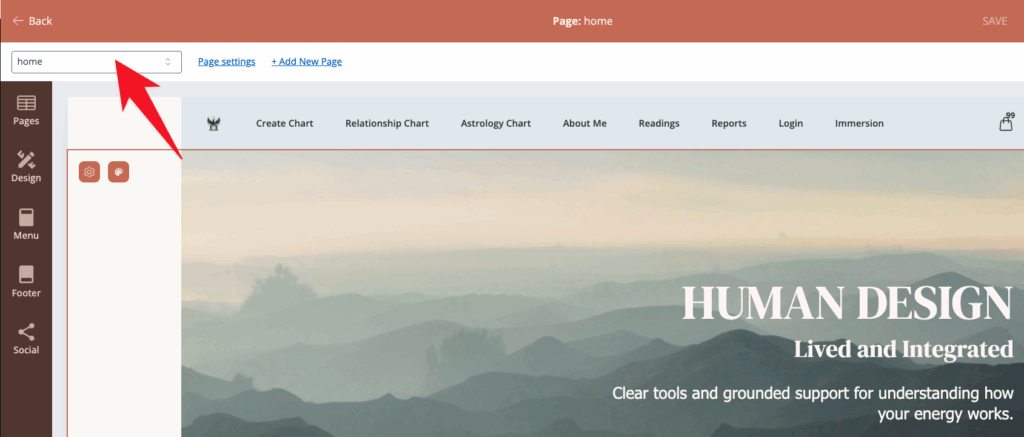
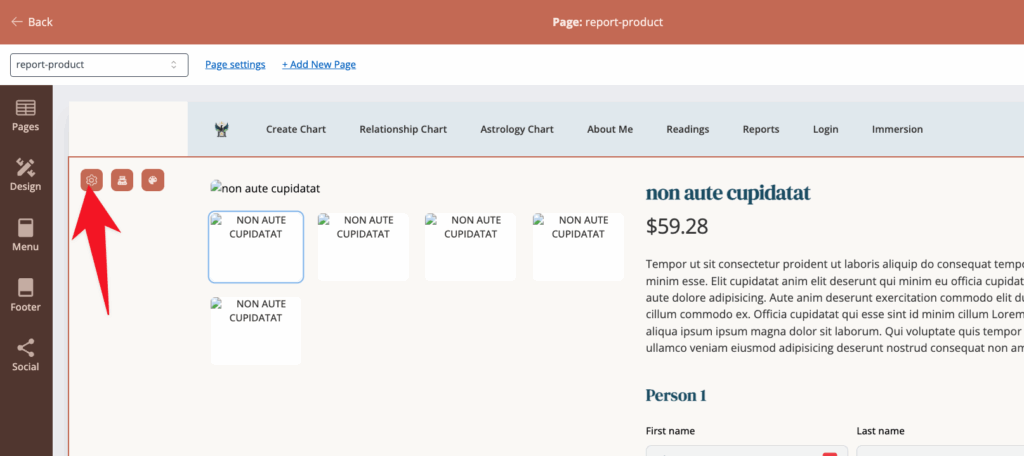
Click on the drop down menu in the top left of the screen. This is a menu of all of the pages inside your website.
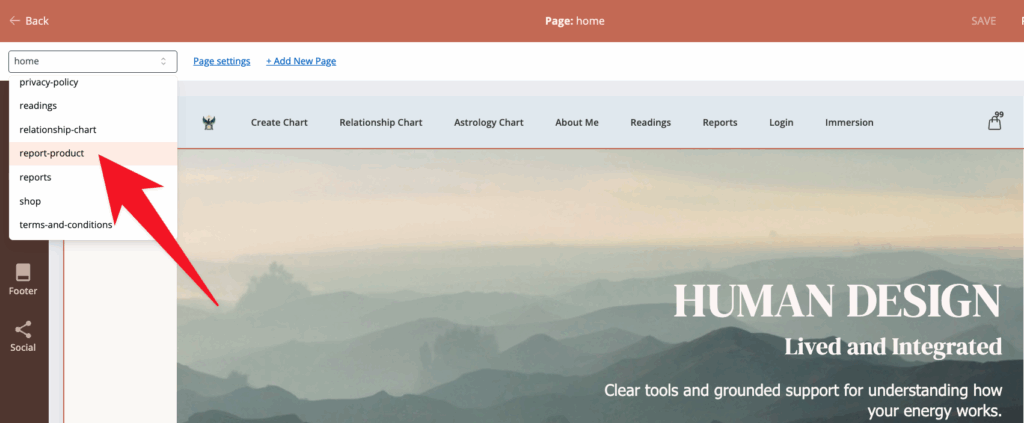
Select ‘report-product’ from the menu.
Then click inside the report product block, and then click on the settings icon. (looks like a cog)
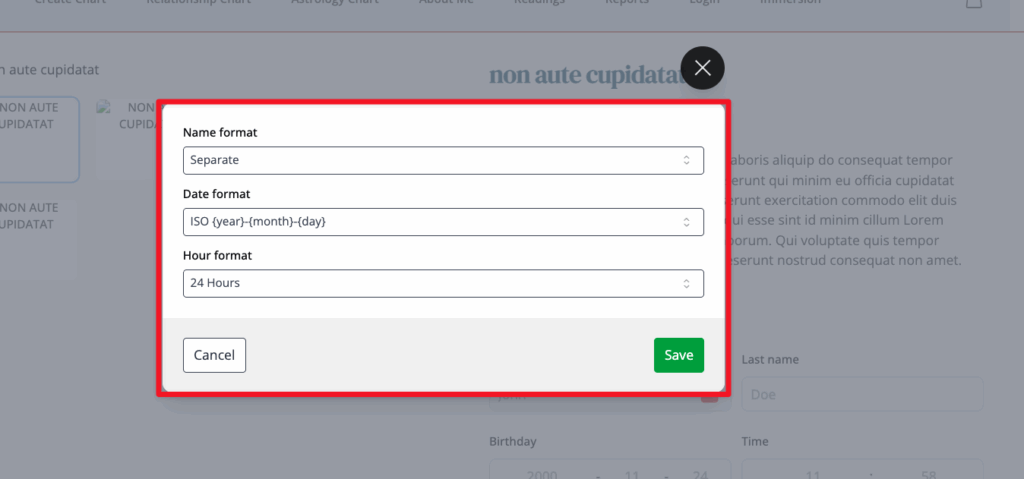
Make your changes and then click save.
Still have questions, is above guide outdated? Please message us on Live Chat or send an email to support@bodygraph.com.